

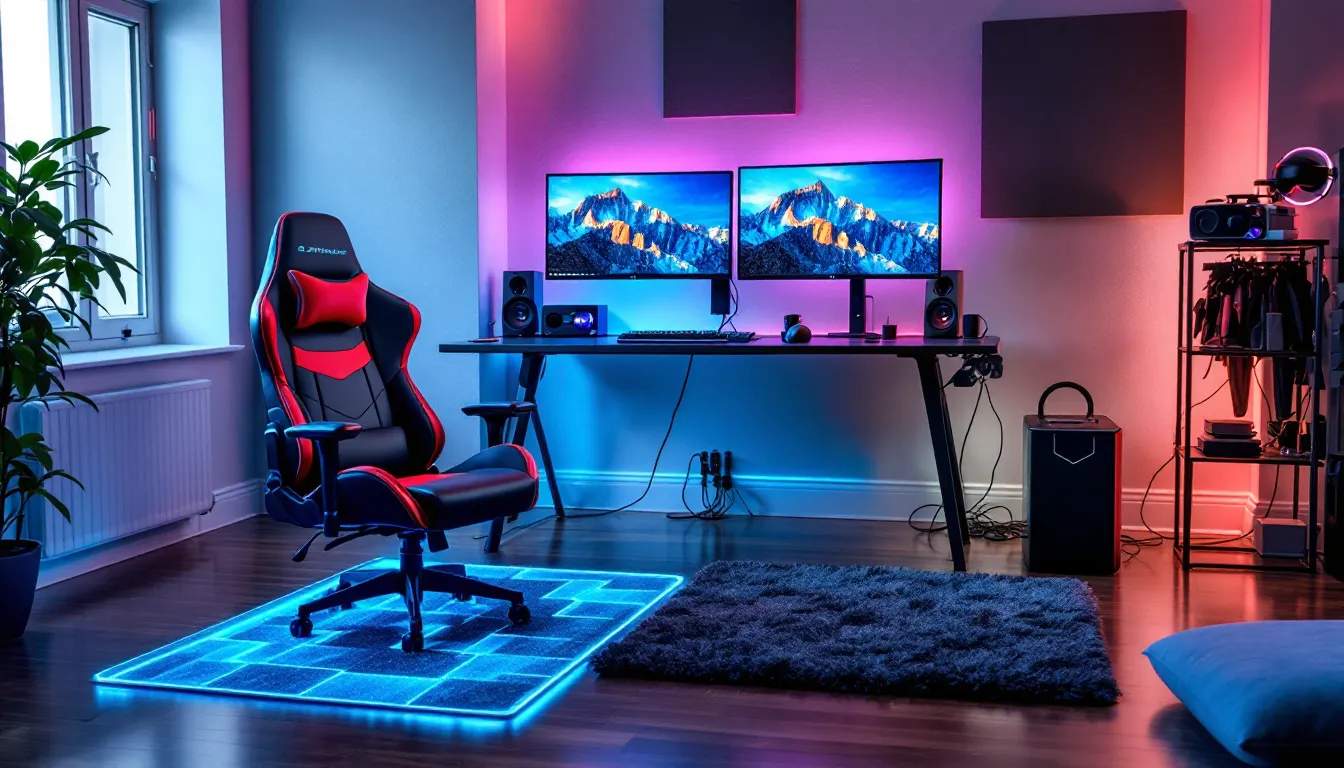
Your gaming setup isn’t just about the GPU you’re running or the refresh rate on your monitor. The surface beneath your feet, or your chair, plays a bigger role in comfort, performance, and longevity than most gamers realize. Whether you’re grinding ranked matches for 8+ hours, setting up a VR play space, or building out a dedicated streaming room, the flooring you choose impacts everything from cable management to noise control.
In 2026, the gaming floor has evolved from an afterthought to a deliberate component of serious setups. It affects how your gaming chair rolls, how much your downstairs neighbors hear your rage quits, how your feet feel during marathon sessions, and even how well you can manage the nest of cables behind your desk. This guide breaks down everything you need to know about selecting, optimizing, and maintaining the perfect gaming floor for your space and play style.
Key Takeaways
- Your gaming floor choice directly impacts chair mobility, sound control, cable management, and comfort during extended gaming sessions—making it a critical component of any serious setup.
- Hard floors like laminate, vinyl, and hardwood offer smooth chair rolling and easier cable management but require quality mats and acoustic treatment to reduce noise for streaming or shared living spaces.
- A quality gaming chair mat (48″x60″ minimum) is the highest-impact budget upgrade, costing $80–150 and protecting your floor while improving mobility and reducing wear patterns.
- VR setups benefit most from interlocking foam tiles that provide safety cushioning and tactile boundary feedback, while competitive PC gamers need hard surfaces with consistent chair mats for precision performance.
- Common mistakes like undersizing chair mats, ignoring sound transmission in apartments, and skipping underlayment create long-term comfort and durability issues that compound over your gaming tenure.
- Match your gaming floor selection to your actual play style and space constraints—whether that’s a $200 chair mat for renters or a $3,000–5,000 professional epoxy installation for dedicated rooms.
What Is a Gaming Floor and Why Does It Matter?
Defining the Gaming Floor Concept
The gaming floor isn’t a specific product, it’s the foundational surface of your gaming space, whether that’s a dedicated room, a corner of your bedroom, or a full basement setup. It includes the base flooring material (carpet, hardwood, concrete, etc.) plus any protective layers, mats, or modifications you add to optimize for gaming.
Unlike general-purpose flooring, a gaming floor is chosen or modified with specific use cases in mind: chair mobility, equipment weight distribution, sound management, and extended comfort. The concept gained traction in the esports scene around 2018-2020 as professional teams started optimizing practice facilities, but it’s now relevant for anyone spending serious time at their setup.
How Floor Choice Impacts Gaming Performance and Comfort
Your floor affects performance in measurable ways. A plush carpet might feel cozy but creates resistance for gaming chairs, forcing you to push harder to reposition, adding micro-fatigue during competitive play. Hardwood offers smooth rolling but transmits sound directly to floors below, and standing on it for VR sessions can leave your feet aching after an hour.
Temperature regulation matters more than you’d think. Concrete stays cool in summer but can feel brutally cold during winter gaming sessions without proper insulation. Carpet provides natural warmth but can trap heat from your PC and make the room stuffier. Cable management is another hidden factor, trying to route HDMI, power, and ethernet cables across thick carpet is a nightmare compared to running them along hardwood or under modular floor tiles.
The wrong floor choice creates small friction points that compound over time. Your chair doesn’t roll smoothly, so you develop shoulder tension from reaching for your mouse. You can’t hear directional audio cues clearly because your mechanical keyboard echoes off hardwood. Your feet hurt after standing sessions. These aren’t game-breaking issues individually, but they absolutely affect how long you can play at peak performance and how comfortable you’ll be doing it.
Best Flooring Types for Gaming Rooms and Setups
Carpet vs. Hardwood: Pros and Cons for Gamers
Carpet offers natural sound dampening, crucial if you’re streaming, recording content, or living in an apartment. It reduces echo and absorbs vibrations from bass-heavy speakers or subwoofers. The warmth factor is real too: many gamers prefer carpet for extended standing sessions or floor-sitting console gaming.
The downsides? Gaming chairs with caster wheels sink into carpet and create drag, especially on plush or high-pile varieties. You’ll burn energy repositioning yourself, and over time, you’ll wear paths into the carpet. Cable management becomes harder since you can’t easily run cables underneath, and spills are more problematic, one knocked-over energy drink can leave a permanent stain.
Hardwood is the opposite trade-off. Chairs glide effortlessly, cables can be routed along baseboards or under thin cable covers, and cleaning is as simple as wiping down the surface. The aesthetic appeal is undeniable, hardwood looks premium on stream backgrounds and setup photos.
But hardwood is unforgiving acoustically. Every keypress, mouse click, and chair movement echoes. If you’re streaming without a dynamic mic or recording content, you’ll pick up every sound. It’s also cold underfoot and hard on joints during standing sessions. Most seriously, chair casters can scratch and dent hardwood over time without proper protection.
Laminate and Vinyl Flooring Options
Laminate flooring has become the middle-ground favorite for gaming setups in 2024-2026. It mimics hardwood’s appearance and smooth surface but costs 40-60% less and handles wear better. Modern laminate planks are scratch-resistant and can handle gaming chair traffic without the protective mats hardwood requires.
The AC rating matters here, look for AC4 or AC5 rated laminate if you’re rolling a chair across it daily. AC3 and below will show wear patterns within 6-12 months of heavy use. Installation is DIY-friendly with click-lock systems, making it viable for renters using temporary setups.
Vinyl flooring, particularly luxury vinyl plank (LVP) or luxury vinyl tile (LVT), offers even better durability. It’s completely waterproof, a massive advantage for gamers prone to spills. The slight cushioning in quality vinyl provides more comfort than hardwood during standing sessions without sacrificing chair mobility.
Both options run $2-7 per square foot depending on quality. For a 10×12 gaming room, you’re looking at $240-840 in materials. The main limitation is sound dampening, both laminate and vinyl transmit noise similarly to hardwood, so you’ll need rugs or underlayment if acoustics matter.
Foam Floor Tiles and Gaming Mats
Interlocking foam tiles are the budget king for dedicated gaming spaces. A 100-square-foot pack of EVA foam tiles runs $40-80 on Amazon and provides instant cushioning, noise reduction, and protection for the floor underneath. They’re popular in VR setups because they define your play space and provide shock absorption for jumping or movement-based games.
The catch? They look utilitarian, think gym floor or kids’ playroom. The aesthetic won’t impress anyone unless you’re going for a dedicated esports training room vibe. They can also shift apart over time with heavy chair use, requiring occasional realignment.
Gaming chair mats are the targeted solution for desk setups. A quality polycarbonate or tempered glass mat ($80-200) protects your existing floor while providing a smooth rolling surface. Glass mats have become trendy in 2025-2026 for their premium look and durability, though they’re 2-3x the cost of plastic alternatives.
For carpet, you’ll need a mat with cleats or grips on the underside. For hard floors, a smooth-bottom mat prevents sliding. Size matters, most gamers underestimate and end up with their chair wheels running off the mat during intense moments. Go for at least 36″x48″, preferably 48″x60″ if you have the space.
Concrete and Epoxy Floors for Dedicated Gaming Spaces
Sealed concrete or epoxy-coated floors are the ultimate solution for permanent, dedicated gaming rooms, think basement setups or garage conversions. According to recent features on gaming industry coverage, high-end esports facilities and content creator studios increasingly favor epoxy floors for their durability and customization options.
Epoxy coating runs $3-12 per square foot professionally installed, or $1-3 per square foot for DIY kits. You can add custom colors, metallic finishes, or even embed RGB lighting for a cyberpunk aesthetic. The surface is incredibly durable, resistant to scratches, impacts, and spills. Cleaning is effortless, and cable management is simplified with the option to install cable raceways or floor boxes.
The downside is the hard, cold surface. You’ll absolutely need a high-quality gaming chair mat or area rug for comfort. Sound transmission is significant, so epoxy works best for ground-floor spaces or soundproofed rooms. The installation process also means you’re committed, this isn’t renter-friendly unless you own the space.
Essential Considerations When Choosing Your Gaming Floor
Noise Reduction and Sound Dampening
If you game late night, stream regularly, or live in an apartment, sound dampening becomes non-negotiable. Hard surfaces (wood, laminate, vinyl, concrete) reflect sound waves, creating echo and transmitting vibrations through walls and floors. This is why hardwood floor setups often sound hollow on stream or pick up every mechanical keyboard click.
Carpet naturally absorbs mid-to-high frequency sounds, reducing echo by 20-40% compared to hard floors. For hard floors, you’ll need strategic solutions: area rugs under your desk, acoustic foam panels on walls, or specialized underlayment during installation. Some gamers use foam tiles specifically in the desk area while maintaining hardwood elsewhere, a hybrid approach that balances aesthetics and acoustics.
Downstairs neighbors are the real test. Impact noise, chair movements, foot traffic, dropped peripherals, travels through floors via vibration. Carpet with thick padding helps, but for hard floors, you’ll want underlayment with an IIC (Impact Insulation Class) rating of 50+ and STC (Sound Transmission Class) of 50+. These specs aren’t marketing fluff: they’re measurable noise reduction standards.
Ergonomics and Standing vs. Sitting Setups
Standing desks have exploded in popularity among gamers since 2023, and your floor choice directly impacts whether you’ll actually use the standing position. Hardwood or concrete feels brutal after 30-45 minutes without a cushioned mat. Your feet, knees, and lower back start aching, and you’ll drop back to sitting.
Anti-fatigue mats designed for standing desks ($30-100) make a massive difference. Look for mats with 3/4″ to 1″ thickness and high-density foam. Some gaming-focused models include textured surfaces for foot positioning or subtle slopes to encourage movement.
For sitting setups, the floor affects your chair ergonomics. If your chair sinks into carpet, you lose 1-2 inches of height, potentially throwing off your arm angles and monitor height. Conversely, a too-slick floor means your chair might drift during gameplay, annoying for precision aiming or fighting games that require stable positioning.
Cable Management and Floor Layout
Cable chaos isn’t just ugly, it’s a functional problem. Cables running across your floor create trip hazards, get damaged by chair wheels, and make reconfiguring your setup a nightmare. Many aspects of gaming culture and entertainment coverage now highlight clean cable management as essential to professional-looking streams and content.
Hard floors make cable management significantly easier. You can run cables along baseboards with adhesive clips, use low-profile cable raceways, or even route them under the floor if you’re installing new flooring with access panels. Some modular floor tile systems include integrated cable channels, premium but incredibly clean.
Carpet forces you to either run cables on top (secured with cable anchors or tape) or route them around the perimeter. Neither is ideal. If you’re committed to carpet, consider a cable management sleeve or box near your desk to bundle everything, then route a single protected path to your wall outlets.
Temperature Control and Comfort
Your floor is a thermal mass that affects room temperature more than you’d expect. Concrete and tile floors stay cool, great for summer gaming but punishing in winter without radiant heating or thick rugs. Hardwood and laminate sit in the middle, staying relatively neutral. Carpet provides insulation, keeping rooms warmer but potentially making them stuffy during intense gaming sessions when your PC is pumping heat.
Many gamers overlook how temperature impacts performance. Cold feet are distracting: studies show discomfort reduces reaction time and focus. Overheated rooms cause fatigue and sweating, which affects grip and peripheral control. Your floor choice should match your climate and room heating/cooling setup.
For cold climates, carpet or cork flooring offers natural warmth. For hot climates or rooms with powerful gaming PCs, hard floors help dissipate heat better. If you’re in a basement or concrete-floor space, consider foam tiles or thick area rugs as thermal barriers.
Optimizing Your Gaming Floor for Different Gaming Styles
PC Gaming and Desk Setups
PC gaming setups demand maximum chair mobility and cable management capability. The ideal floor here is a hard surface, laminate, vinyl, or hardwood, with a large, quality chair mat to protect it. Your chair should glide effortlessly for micro-adjustments during gameplay without requiring conscious effort.
Many competitive PC gamers prefer a slight texture to their chair mat to prevent accidental sliding during intense moments. Polycarbonate mats with a light grain accomplish this while maintaining smooth rolling. Avoid rubber-backed mats on hard floors: they create too much friction and defeat the purpose.
For multi-monitor or ultrawide setups, consider how your floor affects your viewing distance and angles. If you’re on carpet without a mat, your chair sitting lower might require monitor arms or raised stands to maintain proper ergonomics. This cascades into neck strain during extended sessions, a hidden cost of poor floor choices.
Console Gaming and Living Room Configurations
Console gaming often happens in shared living spaces where you can’t dictate the flooring. The focus shifts to optimization within constraints. For couch gaming, your floor mainly impacts furniture stability and acoustics for surround sound setups.
If you’re floor-sitting for console gaming (still popular for fighting games and couch co-op), carpet is far more comfortable for extended sessions. Hard floors require thick cushions or gaming floor chairs, those low-profile chairs with back support, to remain comfortable past the first hour.
For console setups with racing wheels, flight sticks, or other mounted peripherals, floor stability becomes critical. These rigs need a firm, level surface. Carpet causes wobble and instability: hard floors are far superior. Many serious sim racers on console use foam tile sections or plywood platforms to create stable mounting surfaces over carpet.
VR Gaming Space Requirements
VR gaming has specific floor needs that differ from flat gaming. You need a defined play space with cushioning for safety, sufficient grip to prevent slipping during movement, and ideally a surface that provides tactile feedback when you approach boundaries.
Foam interlocking tiles are near-perfect for VR. They’re soft enough to prevent injury if you trip or fall (it happens), provide slight traction for lunging movements, and define your play area visually. Many VR enthusiasts use a 6×6 or 8×8 tile section in an otherwise hard-floor room.
Carpet works but has limitations. You can’t easily feel boundary transitions, and it’s harder to define your play space. Hard floors are risky without mats, one slip during a reflex movement in a rhythm game or shooter can mean a fall or twisted ankle. Some VR setups use a single large rug with distinct texture changes at the edges to provide haptic boundaries.
Esports and Competitive Gaming Environments
Competitive environments prioritize consistency and performance over comfort or aesthetics. Tournament setups almost universally use hard floors with uniform chair mats to ensure every player has identical conditions. Pro practice facilities typically install commercial-grade vinyl or laminate specifically chosen for durability under daily 8-12 hour chair use.
Sound management is critical for competitive play. You need to hear directional audio cues clearly without environmental echo muddying the soundscape. This typically means hard floors with strategic acoustic treatment rather than carpet, which can deaden sound too much and make positional audio less precise.
For home competitive setups, mimic this approach: hard floor, high-quality chair mat, and a small area rug or foam panels for targeted sound dampening. The goal is a neutral acoustic environment where you hear the game clearly, not a muffled or echo-prone space.
Budget-Friendly Gaming Floor Solutions
DIY Gaming Floor Upgrades Under $200
For $200 or less, you can meaningfully improve most gaming floors without major renovation. The highest-impact purchase is a quality gaming chair mat ($80-150), which protects your existing floor and improves chair mobility immediately. Look for 48″x60″ or larger in tempered glass or thick polycarbonate.
Interlocking foam tiles offer another budget win. A 100-150 square foot coverage runs $40-80 and works for VR areas, standing desk zones, or full small rooms. The installation takes under an hour with zero tools required. Pair it with a $30-50 anti-fatigue mat if you’re running a standing desk setup.
Area rugs provide cost-effective sound dampening and comfort. A 5×7 rug under your desk area costs $50-120 depending on quality and can reduce echo noticeably. Look for low-pile rugs that won’t interfere with chair movement but still provide acoustic benefits.
Finally, cable management solutions, adhesive cable clips, raceways, and sleeves, run $15-40 total and dramatically clean up your space. This might not seem floor-related, but eliminating cable clutter across your floor improves both safety and aesthetics significantly.
Mid-Range Flooring Options for Better Performance
The $500-1,500 range opens up actual flooring replacement for medium-sized gaming rooms. DIY laminate installation for a 10×12 room costs $500-900 in materials (quality AC4-AC5 laminate, underlayment, trim, and installation tools). This is a weekend project for most people with basic handyman skills and YouTube tutorials.
Luxury vinyl plank (LVP) in the same size room runs $600-1,000 for DIY installation. It offers better water resistance and slightly more comfort underfoot than laminate. Both options provide a clean, modern look perfect for streaming backgrounds and vastly improve chair mobility over carpet.
For carpet-to-hard floor conversions, you’ll need to factor in removing old carpet ($100-200 if you hire it out, or a hard day’s work to DIY) and potentially repairing the subfloor underneath. Many gamers discover damaged subfloors under old carpet, adding unexpected costs.
Alternatively, $500-1,500 can get you a premium modular floor tile system for a smaller dedicated space. These commercial-grade systems (think Greatmats or similar) offer integrated cable management, excellent durability, and professional appearance, ideal for serious streaming setups or content creation studios.
Premium Gaming Floor Investments Worth Considering
At $2,000+, you’re looking at professional installation of high-end materials or comprehensive gaming room buildouts. Custom epoxy flooring with integrated RGB lighting, metallic finishes, or custom designs runs $2,500-5,000 for a standard gaming room. It’s permanent, incredibly durable, and creates a unique aesthetic impossible to replicate with standard flooring.
Engineered hardwood with professional installation costs $3,000-6,000 for a gaming room. You get the authentic wood look and feel but with better stability and moisture resistance than solid hardwood. Pair it with radiant floor heating ($1,500-3,000 additional) for ultimate comfort during winter sessions.
Modular raised flooring systems, the type used in data centers and high-end studios, represent the peak of gaming floor investment. These create a cavity beneath your floor for cable routing, climate control, and easy access to power/data. Expect $4,000-8,000 for a gaming room installation. It’s overkill for most setups but incredible for dedicated streaming studios or multi-station esports practice facilities.
Some enthusiasts invest in comprehensive floor protection systems: high-end chair mats, custom-cut rugs, anti-fatigue mats, and cable management all coordinated into a unified design. This approach can run $800-1,500 but creates a polished, professional environment without replacing the underlying floor, ideal for renters or those in temporary spaces.
Maintaining and Protecting Your Gaming Floor
Cleaning and Care Tips by Floor Type
Hardwood and laminate require regular sweeping or vacuuming to prevent debris from scratching the surface. Use a microfiber mop with hardwood-specific cleaner weekly, never wet mop or use steam cleaners on laminate, as moisture can seep into seams and cause warping. Spills should be wiped immediately.
Vinyl is the lowest-maintenance option. Regular sweeping and occasional mopping with mild cleaner keeps it looking new. It’s waterproof, so spills aren’t emergencies, but sugary drinks can leave sticky residue if not cleaned promptly.
Carpet in gaming rooms takes a beating. Vacuum high-traffic areas (under your desk, chair path) 2-3 times weekly to prevent dirt grinding into fibers. Treat stains immediately with carpet cleaner, energy drink and soda stains set fast. Consider a deep clean or steam cleaning every 6-12 months depending on use.
Foam tiles and mats can be wiped down with mild soap and water. Remove and clean them monthly if you’re in a VR space where you’re generating sweat. They can absorb odors over time, so occasional deep cleaning with enzyme cleaner helps.
Protecting Your Floor from Gaming Chair Damage
Gaming chairs are floor killers. Standard caster wheels, especially cheap plastic ones, will scratch hardwood, wear paths in carpet, and can even crack some laminate over months of heavy use. The solution depends on your floor type.
For hard floors, a chair mat is non-negotiable unless you’re using premium rollerblade-style caster wheels ($30-50 for a set). These softer wheels distribute weight better and don’t scratch, but they still benefit from a mat for defining your rolling area.
On carpet, replace standard wheels with larger, harder caster wheels designed for carpet use. Standard wheels sink and create drag: carpet-specific wheels roll more easily and reduce wear patterns. Even better, use a hard chair mat over the carpet to eliminate wear entirely.
Regularly check your chair’s weight distribution. If you tend to lean heavily to one side (mouse arm side is common), rotate your chair mat or playing position periodically to distribute wear evenly. Replace chair wheels annually if you’re gaming daily, worn wheels can develop flat spots that damage floors.
Dealing with Spills and Accidents
Spills are inevitable in gaming spaces. Energy drinks, water bottles, and late-night snacks create constant risk. Your floor’s spill resistance should factor into your choice if you’re a habitual snacker or drink-at-desk gamer.
For hard floors (laminate, vinyl, hardwood), keep a microfiber cloth accessible to wipe spills immediately. The real risk is liquid seeping into seams or edges where it can damage underlayment or cause swelling. Laminate is particularly vulnerable at seams: vinyl is far more forgiving.
Carpet spills require immediate action. Blot (don’t rub) with paper towels to absorb as much liquid as possible. Then treat with carpet cleaner or a water/vinegar solution. For energy drinks or soda, enzyme cleaners work better than standard carpet cleaners since they break down the sugars that cause sticky residue and attract dirt.
Consider a preventative approach: keep drinks in spill-proof containers or limit them to a side table away from your keyboard/mouse area. Many streamers use small rolling carts for drinks and snacks, keeping them off the main desk and away from equipment and floor space directly under their setup.
Common Gaming Floor Mistakes to Avoid
The single biggest mistake is choosing flooring based purely on aesthetics without considering your actual gaming behavior. That gorgeous hardwood looks amazing but creates acoustic nightmares for streamers and transmits every sound to neighbors below. Plush carpet feels luxurious but makes your gaming chair a workout device.
Undersizing your chair mat is another frequent error. Gamers routinely buy 36″x48″ mats when they need 48″x60″ or larger. Your chair wheels will roll off the edge during intense moments, defeating the mat’s purpose and creating an annoying distraction. Measure your chair’s full range of motion, forward, back, and side to side, then add 6-12 inches of buffer.
Ignoring sound transmission causes problems for apartment gamers and content creators. Hard floors sound great in your head but create echo, pick up every keyboard click on stream, and broadcast your 2 AM gaming sessions to everyone below you. Test your floor’s acoustics before committing, especially if you stream or record.
Cheaping out on materials where it matters is false economy. A $30 thin plastic chair mat will crack or warp within 6 months of daily use, forcing replacement. A $120 quality polycarbonate or glass mat lasts years. Similarly, AC3 laminate might save $100 upfront but shows wear patterns within a year, while AC4-AC5 laminate looks new for 5+ years.
Skipping underlayment during floor installation cuts costs but kills comfort and sound dampening. Quality underlayment adds $0.50-1.50 per square foot but provides thermal insulation, sound reduction, and cushioning that transforms how the floor feels and performs. This matters for standing sessions and overall room acoustics.
Failing to protect high-traffic areas creates uneven wear. The path between your desk and door, the space directly under your chair, and areas around your desk take 10x more traffic than the rest of your gaming floor. Use mats, rugs, or protective coverings in these zones rather than letting them degrade and create obvious wear patterns.
Finally, many gamers don’t consider their HP Ultimate Gaming Coverage plan and hardware setup in relation to their floor choice. Heavy rigs with multiple monitors or racing sim equipment need stable, level surfaces. VR setups need cushioned play areas. Match your floor to your gear and play style, not just your budget or design preferences.
Conclusion
Your gaming floor isn’t just what’s beneath you, it’s a functional component of your entire setup that impacts comfort, performance, and longevity. The right choice depends entirely on your gaming style, space constraints, and priorities. Competitive PC gamers need smooth, stable surfaces for consistent chair movement. VR enthusiasts require cushioned, defined play spaces. Streamers and content creators must balance aesthetics with acoustics.
There’s no universal “best” gaming floor, but there’s definitely a best floor for your specific situation. Start by honestly assessing how you game, what your space limitations are, and what problems you’re trying to solve. Then match those needs to the flooring options and protection strategies that make sense for your budget. Whether you’re dropping $50 on a chair mat or $5,000 on custom epoxy, make decisions based on how you actually use your space, not aspirational Instagram setups.
The floor you choose today will affect every gaming session you have for years to come. Choose wisely, protect your investment, and your setup will perform better and last longer than you’d expect from such a seemingly simple decision.