

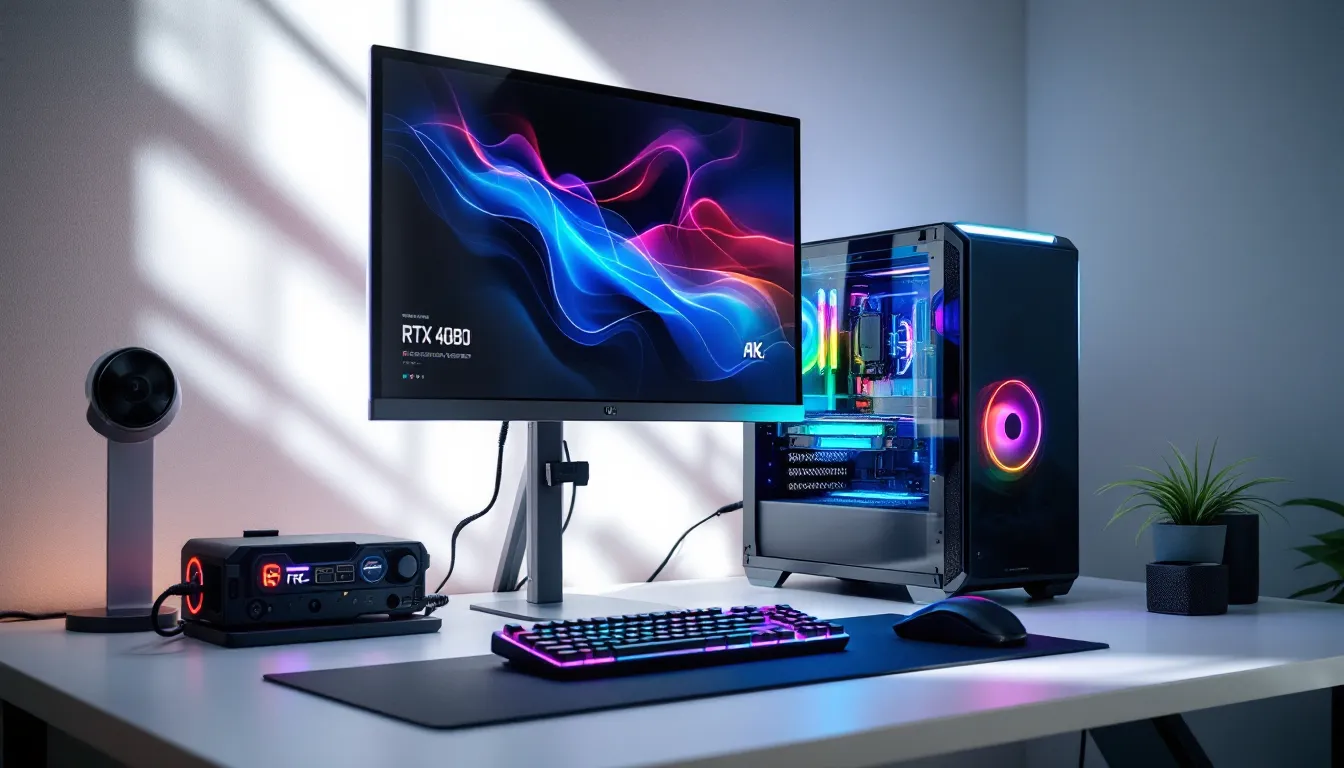
The RTX 4080 has cemented itself as the sweet spot for high-end gaming, powerful enough to crush 4K titles with ray tracing enabled, yet significantly more affordable than the 4090. If you’re planning a gaming PC build around Nvidia’s second-tier Ada Lovelace GPU, you’re in good company. This card delivers flagship-level performance without the four-figure price tag that makes accountants weep.
But here’s the thing: dropping $1,000+ on a GPU is only half the battle. Pair it with the wrong CPU, skimp on your PSU, or bottleneck it with slow RAM, and you’re leaving frames on the table. This guide breaks down exactly what you need to build a gaming PC with the RTX 4080, from CPU and motherboard pairings to real-world benchmarks across today’s most demanding titles. Whether you’re chasing 4K60 in Cyberpunk 2077 or pushing 240Hz at 1440p in competitive shooters, we’ve got you covered.
Key Takeaways
- The RTX 4080 is the ideal graphics card for 4K gaming, delivering 90-120 FPS in demanding AAA titles with ray tracing enabled at a more affordable price point than the 4090.
- A gaming PC RTX 4080 build requires careful component pairing—pair it with at least an i7-14700K or Ryzen 7 7800X3D, DDR5-6000+ RAM, and an 850W+ PSU to avoid bottlenecking and maximize performance.
- The $2,300-$2,900 price range creates two viable configurations: a balanced build with the Ryzen 7 7800X3D offering excellent value, or an enthusiast build with the Core i9-14900K for content creators and streamers.
- Ray tracing and DLSS 3.5 make the 4080 practical for full path-traced gaming, achieving 60-75 FPS in Cyberpunk 2077’s most demanding settings with AI upscaling.
- Proper cooling, storage speed (PCIe 4.0 NVMe minimum), and airflow-friendly cases are non-negotiable—neglecting these leaves performance on the table despite the 4080’s powerful architecture.
- Building custom is preferable to pre-built systems for the RTX 4080, as it gives you component control, better part quality for the same price, and eliminates common shortcuts like weak PSUs and restrictive case designs.
Why Choose an RTX 4080 for Your Gaming PC Build
Performance Benchmarks and Gaming Capabilities
The RTX 4080 rocks 9,728 CUDA cores, 16GB of GDDR6X memory, and a boost clock around 2.5GHz, delivering consistent 4K gaming at ultra settings across AAA titles. In synthetic benchmarks, it scores roughly 28,000 in Time Spy Extreme and handles sustained boost clocks of 2,610MHz under gaming loads. That translates to 90-120 FPS in demanding titles like Hogwarts Legacy and Starfield at 4K with maxed-out settings.
Ray tracing performance is where the 4080 flexes its Ada Lovelace architecture. Third-generation RT cores handle path tracing in games like Cyberpunk 2077 with DLSS 3.5 active, maintaining playable framerates (55-70 FPS) even with full ray-traced lighting. Rasterization performance sits about 15-20% behind the 4090, but at $400-500 less, that’s a trade most gamers can live with.
Power efficiency deserves a mention, the 4080 typically pulls 320-350W under full load, meaning it runs cooler and quieter than its bigger sibling. That’s a tangible benefit in smaller cases or builds prioritizing acoustics.
4080 vs 4090 vs 4070 Ti: Which GPU Is Right for You?
The 4090 is overkill for most gamers. Yes, it’s 15-20% faster at 4K, but unless you’re gaming on a 4K 144Hz OLED or doing serious content creation work, you won’t feel that delta in real sessions. The $1,500-$1,600 price premium buys you bragging rights and future-proofing, but the 4080 already handles everything current games throw at it.
The 4070 Ti sits below at around $750-$800, offering solid 1440p performance but struggling in native 4K scenarios. It’s a great card for high refresh 1440p gaming, but if 4K is your target resolution, the memory bandwidth and core count gap becomes noticeable. Frame pacing in VRAM-heavy titles like The Last of Us Part I can stutter when texture quality maxes out.
Bottom line: the 4080 occupies the Goldilocks zone. It’s the minimum card you want for serious 4K gaming and the maximum most gamers actually need. The 4090 is for enthusiasts with money to burn. The 4070 Ti is for competitive 1440p players who don’t plan to upgrade their monitor anytime soon.
Essential Components for Your RTX 4080 Gaming PC
CPU Selection: Pairing the Perfect Processor
Your CPU choice directly impacts how well the 4080 performs, especially at 1440p and lower resolutions where the GPU isn’t the bottleneck. For Intel builds, the Core i7-14700K or i9-14900K are top picks, 20 cores (8P+12E) deliver plenty of thread count for streaming, Discord, and background tasks while gaming. Clock speeds hit 5.6GHz on P-cores, keeping frame times tight in CPU-bound titles like Baldur’s Gate 3 and simulation games.
AMD users should eye the Ryzen 9 7900X or 7950X3D. The 7900X offers 12 cores at 5.4GHz boost with excellent multi-threaded performance, while the 7950X3D’s 3D V-Cache delivers 5-10% higher 1% lows in CPU-sensitive games. If you’re purely gaming, the Ryzen 7 7800X3D at around $400 punches way above its weight class, that extra L3 cache keeps frame pacing smooth in open-world titles.
Don’t pair a 4080 with anything below an i5-14600K or Ryzen 7 7700X. You’ll leave performance on the table, especially in esports titles where CPU-bound framerates matter.
Motherboard Compatibility and Features
For Intel 14th gen builds, Z790 chipset boards are your go-to. Look for models with PCIe 5.0 x16 slot (though the 4080 runs fine on PCIe 4.0), DDR5 support, and robust VRM cooling if you’re overclocking. The ASUS ROG Strix Z790-E and MSI MPG Z790 Carbon both offer excellent feature sets around $400-$450, including Wi-Fi 6E, multiple M.2 slots with heatsinks, and USB 3.2 Gen 2×2 front headers.
AMD Ryzen 7000 series needs AM5 boards, B650 for budget builds, X670E for enthusiasts. The Gigabyte X670E Aorus Elite AX hits a sweet spot at $280-$300, delivering PCIe 5.0 support, strong VRM thermals, and enough M.2 slots to satisfy storage hoarders. Make sure your board has BIOS flashback if you’re building with newer CPUs, early AM5 boards sometimes need updates out of the box.
Mini-ITX builders have solid options too. The ASUS ROG Strix B650E-I and ASRock Z790 PG-ITX both pack flagship features into compact form factors, though you’ll pay a premium for the miniaturization.
RAM Requirements: Speed and Capacity
DDR5 is mandatory for both Intel 13th/14th gen and AMD Ryzen 7000. Don’t cheap out here, RAM speed directly impacts 1% lows and frame pacing. Target 32GB (2x16GB) DDR5-6000 CL30 for AMD builds, as Ryzen 7000’s Infinity Fabric sweet spot sits around 6000MHz. Intel systems are more flexible, but DDR5-6400 CL32 kits offer the best price/performance.
Brand-wise, G.Skill Trident Z5 and Corsair Dominator Platinum kits are rock-solid. Expect to pay $140-$180 for quality 32GB kits. Avoid DDR5-4800 kits, the performance gap between baseline and 6000MHz RAM can cost you 8-12 FPS in memory-sensitive games according to independent testing from Tom’s Hardware.
If you’re streaming or running heavy productivity workloads alongside gaming, consider 64GB. Modern games like Starfield with HD texture packs can push past 20GB system memory usage when combined with Chrome tabs and streaming software.
Power Supply Recommendations for RTX 4080 Systems
The 4080’s 320W TDP plus a high-end CPU pulling 150-250W under load means you need headroom. An 850W 80+ Gold PSU is the minimum safe spec, giving you buffer for power spikes and future upgrades. The Corsair RM850x and EVGA SuperNOVA 850 G6 both offer excellent voltage regulation and come with the necessary PCIe 5.0 12VHPWR cable (or adapter) for the 4080’s power connector.
If you’re running a 14900K or 7950X3D with overclocking plans, bump up to 1000W. The Seasonic Prime TX-1000 and Corsair HX1000i provide platinum-rated efficiency and enough juice for future GPU upgrades.
Cable management matters here, the 4080’s 12VHPWR connector is notoriously finicky. Make sure you’re seating it fully and not bending cables near the connector. Several early adapter failures traced back to improper installation, so take your time during assembly.
Best RTX 4080 Gaming PC Build Configurations
High-End Enthusiast Build ($2,500-$3,000)
This configuration maxes out everything the 4080 can deliver:
Core Components:
- GPU: ASUS TUF RTX 4080 OC Edition ($1,100)
- CPU: Intel Core i9-14900K ($550)
- Motherboard: ASUS ROG Strix Z790-E ($420)
- RAM: G.Skill Trident Z5 RGB 32GB DDR5-6400 CL32 ($165)
- Storage: Samsung 990 PRO 2TB NVMe ($180)
- PSU: Corsair RM1000x 80+ Gold ($180)
- Cooler: Arctic Liquid Freezer III 360mm AIO ($120)
- Case: Fractal Design Torrent Compact ($180)
Total: ~$2,895
This build crushes everything at 4K and leaves room for overclocking both CPU and GPU. The 14900K’s extra cores help with streaming and productivity, while the robust VRM on the Strix board keeps thermals in check during extended sessions. The Torrent Compact’s mesh front panel and dual 180mm fans provide exceptional airflow, expect GPU temps in the 65-70°C range under load.
Balanced Performance Build ($2,000-$2,500)
Cut costs without sacrificing gaming performance:
Core Components:
- GPU: MSI Ventus 3X RTX 4080 ($1,050)
- CPU: AMD Ryzen 7 7800X3D ($400)
- Motherboard: Gigabyte X670E Aorus Elite AX ($290)
- RAM: Corsair Vengeance DDR5-6000 CL30 32GB ($145)
- Storage: WD Black SN850X 2TB ($160)
- PSU: EVGA SuperNOVA 850 G6 ($130)
- Cooler: Thermalright Peerless Assassin 120 SE ($40)
- Case: Lian Li Lancool 216 ($120)
Total: ~$2,335
The 7800X3D delivers nearly identical gaming performance to the 14900K at $150 less, and its lower power draw means you can run a quality air cooler instead of AIO liquid. The Peerless Assassin handles the 7800X3D’s 120W TDP without breaking a sweat. You’re not giving up any meaningful FPS compared to the enthusiast build, the difference in most games sits within margin of error.
Both builds assume you’re reusing peripherals, OS license, and display. Factor another $500-$800 if you’re starting completely from scratch.
Cooling Solutions for RTX 4080 Builds
Air Cooling vs Liquid Cooling: Pros and Cons
High-end air coolers like the Noctua NH-D15 or Thermalright Peerless Assassin 120 handle mid-tier CPUs (7800X3D, 13700K) without issue. They’re dead silent at idle, require zero maintenance, and can’t leak. Temps on a 7800X3D stay under 75°C during gaming with a quality tower cooler. The downside? They’re massive, often causing RAM clearance headaches and blocking your motherboard’s aesthetic.
AIO liquid coolers like the Arctic Liquid Freezer III or Corsair iCUE H150i Elite dominate with high-wattage CPUs. A 360mm AIO keeps a 14900K under 80°C during sustained all-core loads, something air cooling struggles with. They also look cleaner in windowed cases and don’t shadow your RAM slots.
The tradeoffs: AIOs cost $100-$150 versus $40-$80 for air, pump noise can be noticeable at idle, and there’s always a non-zero failure risk. For gaming-focused builds where CPU loads stay moderate, air cooling is plenty. Streamers and content creators benefit from AIO thermal headroom.
Case Selection and Airflow Optimization
The RTX 4080 is a big card, most models run 305-320mm long and occupy 2.5-3 slots. Your case needs GPU clearance and aggressive airflow to keep Ada Lovelace’s boost clocks from throttling.
Top picks for airflow:
- Fractal Design Torrent (Compact/Full): Dual 180mm or triple 140mm front intake creates positive pressure that keeps dust out and temps down.
- Lian Li Lancool 216: Mesh front, three 160mm fans included, excellent cable management space.
- Phanteks Eclipse G360A: Budget-friendly at $90, includes three 140mm fans and supports 360mm radiators.
Avoid cases with solid front panels or restrictive intake designs. The NZXT H510 might look sleek, but it chokes airflow, GPU temps can hit 80°C+ under load. Mesh fronts are your friend. For optimal thermals in a gaming PC RTX 4080 build, set front fans to intake, rear and top to exhaust. Positive pressure (slightly more intake than exhaust) reduces dust buildup and improves component longevity.
Mini-ITX builders should check the SSUPD Meshlicious or Cooler Master NR200P. Both handle full-size GPUs with proper planning, though cable management becomes a Tetris game.
Storage Configuration for Modern Gaming
Modern AAA titles are storage hogs. Call of Duty: Modern Warfare III weighs in at 200GB+, Starfield at 125GB, and shader compilation relies heavily on storage speed for faster load times. Your primary drive needs to be a PCIe 4.0 NVMe SSD minimum.
The Samsung 990 PRO and WD Black SN850X lead the pack with sequential reads around 7,400 MB/s and strong 4K random performance. A 2TB model runs $160-$180 and gives you room for your OS, apps, and 6-8 large games. PCIe 5.0 SSDs exist but don’t offer meaningful gaming benefits yet, save your money.
For secondary storage, add a 2-4TB SATA SSD or larger NVMe drive for your game library backlog. The Crucial MX500 2TB at $100 offers solid value for games you’re not actively playing. Mechanical HDDs are fine for media storage but have no place in a modern gaming rig, load times are brutally slow compared to even budget SSDs.
DirectStorage API is starting to appear in newer titles, leveraging GPU decompression to slash load times. Games like Forspoken and Ratchet & Clank: Rift Apart show 2-3x faster asset streaming on compatible NVMe drives. The 4080 supports DirectStorage 1.1, so invest in quality storage now to capitalize as more games adopt the tech.
Partitioning advice: Install your OS and active games on the primary NVMe. Keep your secondary drive for completed games, media, and backups. This keeps your system drive lean and prevents fragmentation from impacting load times.
Real-World Gaming Performance Across Popular Titles
4K Gaming Performance
The RTX 4080 handles native 4K beautifully. In Cyberpunk 2077 with RT Overdrive mode and DLSS 3.5 Quality, expect 60-70 FPS in Night City’s dense districts. Turn off path tracing and you’re looking at 90-110 FPS with ultra rasterization settings. Hogwarts Legacy at 4K Epic settings delivers 80-95 FPS, with 1% lows staying above 65 FPS for smooth exploration.
Competitive titles scale even better. Call of Duty: Modern Warfare III pushes 130-150 FPS at 4K max settings, though most players drop to 1440p for higher refresh rates in multiplayer. Apex Legends and Valorant aren’t particularly demanding, the 4080 is massive overkill for these, easily hitting 200+ FPS at 4K.
The 16GB VRAM buffer matters in VRAM-hungry games. The Last of Us Part I with HD textures uses 13-14GB at 4K, and Resident Evil 4 Remake with RT enabled pushes past 12GB. The 4080 handles these without stuttering, while 12GB cards (like the 4070 Ti) can experience frame pacing issues when VRAM caps out.
1440p High Refresh Rate Gaming
This is where the 4080 truly flexes for competitive players. Paired with a 1440p 240Hz monitor, you’re looking at buttery-smooth framerates across esports titles and AAA games alike.
Testing from TechSpot shows the 4080 delivering 240+ FPS in CS2, 200-240 FPS in Valorant, and 180-220 FPS in Overwatch 2, all with maxed settings. Even demanding shooters like Call of Duty maintain 180+ FPS at 1440p competitive settings (medium-high).
Single-player titles become GPU-bound at 1440p. Red Dead Redemption 2 at max settings hits 110-130 FPS, Elden Ring sits locked at its 60 FPS cap (or 120 FPS with mods), and Baldur’s Gate 3 maintains 100+ FPS even in Act 3’s performance-heavy city areas.
The sweet spot for a gaming PC RTX 4080 setup is arguably 1440p ultrawide (3440×1440) with a 165-180Hz refresh rate. You get the immersion of wider FOV with framerates high enough for competitive play.
Ray Tracing and DLSS 3.5 Performance
Ada Lovelace’s third-gen RT cores make the 4080 the first GPU where full ray tracing feels practical rather than a slideshow with pretty screenshots. Cyberpunk 2077’s RT Overdrive mode (full path tracing) runs at 40-50 FPS native 4K, but DLSS 3.5 Quality mode boosts that to 60-75 FPS with minimal visual downgrade.
DLSS 3.5’s Ray Reconstruction improves RT image quality compared to DLSS 3.0, reducing noise and ghosting in reflections and shadows. In Portal RTX, the difference is night and day, reflections look crisp and stable even during fast portal transitions.
Frame Generation (DLSS 3.0’s headline feature) adds AI-generated intermediate frames, effectively doubling framerates in supported titles. Analysis from Hardware Times confirms latency increases by 5-8ms with Frame Gen active, so competitive players should disable it. But for single-player experiences like Alan Wake II or A Plague Tale: Requiem, the extra fluidity transforms gameplay feel.
Not all games support DLSS 3.x yet. FSR 2.x works on Nvidia hardware as a fallback, though image quality doesn’t match DLSS. Native rendering without upscaling still produces the sharpest image, so toggle based on your FPS targets.
Pre-Built vs Custom Build: What’s Best for You?
Pre-built gaming PCs with the RTX 4080 typically run $2,400-$3,200 depending on other specs. Companies like NZXT BLD, Maingear, and iBuyPower offer decent configurations, though you’re paying a $300-$500 premium over DIY parts cost. The upside? Everything’s assembled, tested, and comes with warranty coverage. If a component dies, you call one support line instead of diagnosing which part failed.
Custom builds give you total control over every component, brand preference, aesthetics, noise levels, and upgradeability. You can pick quiet fans over RGB, prioritize airflow cases, or choose specific GPU models with better cooling solutions. The learning curve is real, but PC building isn’t rocket science. First-time builders should budget 3-4 hours for assembly and another hour for Windows installation and driver updates.
Where pre-builts often cut corners: PSU quality (generic 80+ Bronze units), RAM speed (DDR5-4800 instead of 6000+), and motherboard features (basic B660/B650 boards). They also tend to run hotter due to minimal case fans and restrictive airflow designs optimized for looks over thermals.
For gamers comfortable following YouTube tutorials, building your own gaming PC RTX 4080 system makes sense. You’ll get better component quality for the same money and understand your system well enough to troubleshoot issues. If you value time over savings and want zero hassle with potential HP Ultimate Gaming Coverage options, pre-builts are viable, just scrutinize the spec sheet and avoid configurations with obvious bottlenecks.
Optimizing and Maintaining Your RTX 4080 Gaming PC
Fresh Windows install? First priority: grab the latest GPU drivers from Nvidia’s site. GeForce Game Ready drivers roll out every 2-3 weeks, often including game-specific optimizations and bug fixes. Enable automatic driver notifications through GeForce Experience, but don’t auto-install, wait 2-3 days after release to avoid the occasional buggy launch driver.
Enable Resizable BAR (ReBAR) in your BIOS. This allows your CPU to access the GPU’s full VRAM, providing 3-5% FPS gains in supported titles. Most Z790/X670 boards ship with this enabled, but older boards might need a BIOS update first.
Tweaking in-game settings matters more than GPU overclocking for most users. Prioritize frame pacing over raw FPS, consistent 100 FPS feels smoother than variable 110-90 FPS. Disable motion blur and chromatic aberration (they’re performance hogs with questionable visual benefit). Lower shadow quality from Ultra to High for 5-10% FPS gains with minimal visual difference.
GPU overclocking on the 4080 yields modest gains, 5-8% typical with a good chip. Use MSI Afterburner to add +150MHz to core clock and max out the power limit. Monitor temps and stability with 3DMark or Heaven Benchmark. The 4080 will self-throttle if it hits thermal limits, so proper case airflow matters more than aggressive overclocking.
Maintenance is low-effort but important:
- Dust filters: Clean every 4-6 weeks if you run positive pressure, monthly if neutral/negative.
- GPU fans: Most models stop fans at idle (0dB mode). If they spin constantly, check fan curves in Afterburner.
- Driver cleanup: Use DDU (Display Driver Uninstaller) when troubleshooting graphics issues, old driver remnants can cause crashes.
- Thermal paste: GPU paste typically lasts 3-4 years before degrading. Desktop CPUs can go 4-5 years.
Monitor your system with HWiNFO64 or Afterburner’s OSD. GPU temps above 83°C indicate airflow issues. CPU temps above 90°C under gaming loads suggest inadequate cooling or improper mounting. Catching thermal problems early prevents long-term component degradation.
Conclusion
Building a gaming PC around the RTX 4080 in 2026 gives you one of the best price-to-performance ratios available for high-end gaming. This GPU handles 4K60+ gaming with ray tracing, crushes 1440p high refresh competitive play, and leaves enough headroom for upcoming titles over the next 3-4 years.
The key is balancing your build, don’t bottleneck the 4080 with a weak CPU, and don’t neglect cooling or power delivery. Whether you go with the $2,300 balanced build or push toward $3,000 for enthusiast-grade components, both configurations deliver exceptional gaming experiences that justify the investment.
Prices on Ada Lovelace cards have stabilized, and availability is solid across all major retailers. If you’ve been waiting to upgrade from a 20-series or 30-series card, now’s the time. The 4080 delivers the performance leap that makes the investment worthwhile, especially if you’re gaming at 1440p ultrawide or 4K.