

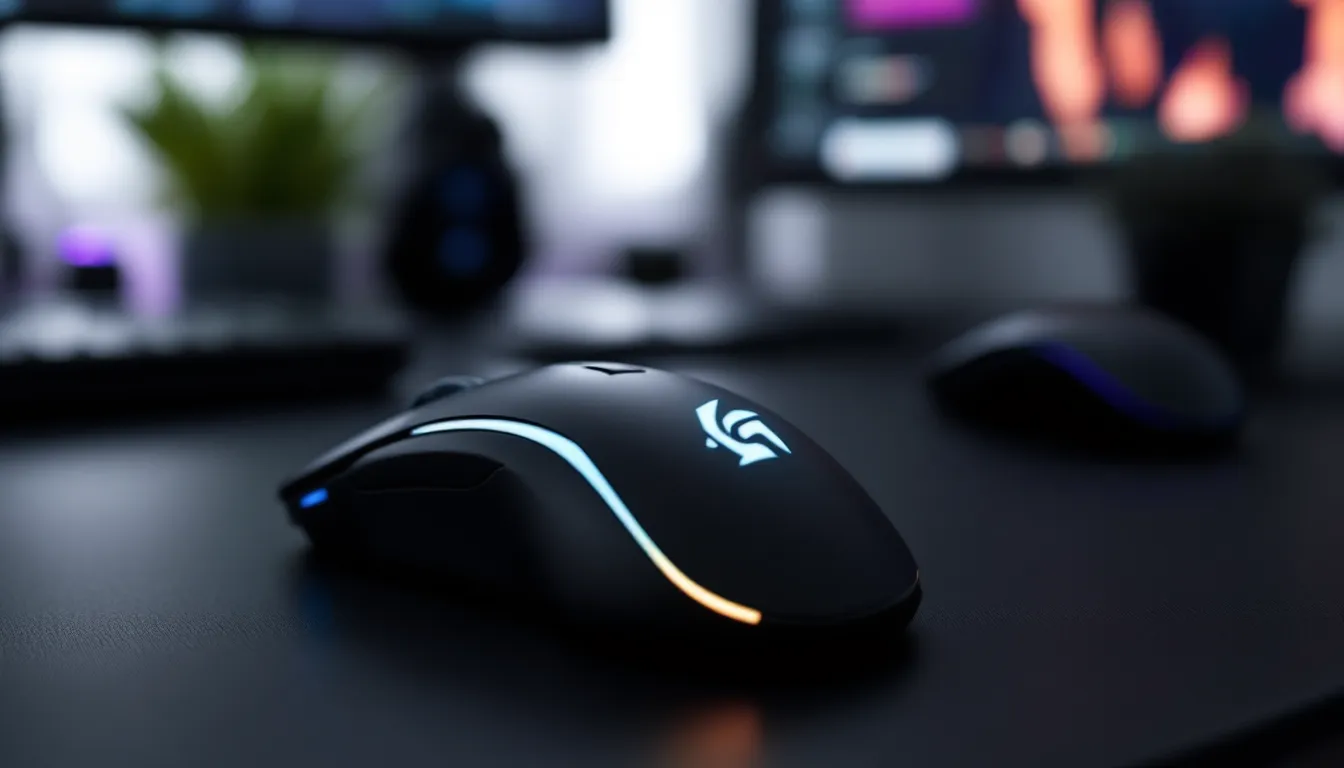
Choosing the right gaming mouse isn’t about grabbing the flashiest RGB setup or the one with the biggest number slapped on the box. It’s about matching hardware to your hand, your games, and your expectations. Whether you’re grinding ranked matches in Valorant, managing cooldowns in Final Fantasy XIV, or chasing headshots in Counter-Strike 2, your mouse is the bridge between intention and execution.
In 2026, the market’s flooded with options ranging from ultralight esports weapons to feature-packed MMO beasts. Specs like 30,000 DPI and 8,000 Hz polling rates sound impressive, but they don’t mean much if the shape cramps your hand after an hour or the sensor can’t track on your mousepad. This guide cuts through the noise and helps you identify what actually matters when targeting your next gaming mouse.
Key Takeaways
- A target gaming mouse should match your hand size, grip style, and primary game genre rather than chasing flashy specs like maximum DPI or RGB lighting.
- Optical sensors with 1,000+ Hz polling rates deliver flawless tracking for competitive play, while mid-range gaming mice ($50–$100) offer 90% of flagship performance at half the cost.
- Lightweight wireless gaming mice (60–80g) with sub-1ms latency eliminate cable drag and reduce hand fatigue, making them ideal for low-sensitivity FPS players and competitive esports.
- Programmable button layouts must align with your games: FPS players need minimal buttons (2–6) for simplicity, while MOBA and MMO players benefit from 12+ button grids for ability management.
- Prioritize build quality and ergonomics over vanity specs—sensor accuracy, durable switches rated for 50+ million clicks, and comfortable grip feel matter far more than achieving 30,000 DPI.
- Test your target gaming mouse’s grip compatibility before committing, verify that software supports onboard memory and per-game profiles, and confirm wireless models use proprietary 2.4 GHz dongles rather than Bluetooth for lag-free competitive play.
What Makes a Gaming Mouse Different from a Regular Mouse?
Office mice are built for spreadsheets and emails. Gaming mice are built for millisecond-precision input under pressure. The difference shows up in three key areas: sensor performance, build quality, and customization depth.
A gaming mouse uses a high-performance optical or laser sensor capable of tracking rapid hand movements without pixel skipping or acceleration issues. Regular mice use cheaper sensors that introduce smoothing or prediction, fine for clicking through documents, unacceptable when lining up a flick shot. The polling rate on a gaming mouse (often 1,000 Hz or higher) reports position updates to your PC far more frequently than the 125 Hz typical of office peripherals.
Build materials differ too. Gaming mice feature low-friction PTFE feet, reinforced cables (or wireless tech with sub-1ms latency), and switches rated for tens of millions of clicks. Buttons are positioned for quick access during gameplay, not just left/right clicking. Software allows per-game profiles, macro recording, and DPI adjustment on the fly.
Understanding DPI and Sensitivity
DPI (dots per inch) measures how far your cursor moves on-screen for each inch you move the mouse physically. A sensor rated at 1,600 DPI moves the cursor 1,600 pixels per inch of hand movement. Higher DPI means faster cursor travel with less physical motion.
Here’s the thing: more isn’t always better. Most competitive FPS players run 400–1,600 DPI paired with low in-game sensitivity for pixel-precise aiming. High DPI (3,200+) suits fast-paced games like Overwatch 2 or players using small mousepads, but going beyond 6,400 DPI rarely provides practical benefit. Modern sensors handle DPI scaling without introducing jitter, so the “native DPI” debate is mostly settled, just pick what feels right.
What matters more than max DPI is adjustable DPI with clean increments. Being able to toggle between 800 DPI for sniping and 1,600 for general play (via a dedicated button) gives flexibility mid-match.
Polling Rate and Response Time Explained
Polling rate is how many times per second your mouse reports its position to your PC. Standard is 1,000 Hz (once per millisecond). Higher-end models now offer 2,000 Hz, 4,000 Hz, or even 8,000 Hz polling.
Does it matter? At 1,000 Hz, input lag is already imperceptible for most players. Bumping to 8,000 Hz reduces theoretical latency from 1ms to 0.125ms, a difference you won’t consciously notice unless you’re competing at the top 0.1% level. It does slightly increase CPU overhead, though modern systems handle it fine.
Response time (often called click latency) measures the delay between pressing a button and the PC registering the input. Optical switches (using light beams instead of physical contacts) have shaved this down to under 0.2ms on flagship mice. Mechanical switches typically land around 1-3ms, still fast enough for competitive play. The feel and durability of the switch matter as much as raw speed, nobody wants accidental double-clicks after six months.
Key Features to Look for in Your Target Gaming Mouse
Not every feature deserves equal weight. Some are game-changers: others are marketing. Here’s what actually impacts performance.
Sensor Technology: Optical vs Laser
Optical sensors use LED light to track surface texture. They’re the gold standard for gaming in 2026. Flagship models from PixArt (like the PAW3395 and PMW3389) and custom variants deliver flawless tracking across a wide range of surfaces with zero acceleration or angle snapping. They don’t work well on glass or highly reflective surfaces, but that’s rarely an issue with proper mousepads.
Laser sensors use infrared light and can track on more surface types, including glass. Sounds great, except they tend to pick up microscopic surface imperfections, causing jitter or inconsistent lift-off distance. Some laser mice from the 2010s had built-in acceleration that couldn’t be disabled, a dealbreaker for competitive play.
Verdict: Stick with optical unless you have a very specific need for glass-surface tracking. The top optical sensors are so good now that debates about sensor choice have mostly disappeared. Many hardware reviews on TechRadar confirm optical dominance across current gaming mice lineups.
Programmable Buttons and Customization
Simple FPS mice might have 5-6 buttons (left, right, middle, two side buttons, DPI toggle). MMO and MOBA mice can pack 12-20, often arranged in side grids.
What to look for:
- Accessible placement: Side buttons should be easy to reach without repositioning your grip. Poorly placed buttons cause misclicks or force awkward thumb angles.
- Software support: Buttons should be fully remappable, with macro recording and per-profile settings. Major brands (Logitech G Hub, Razer Synapse, SteelSeries GG) offer solid software, though some require account sign-ins.
- Onboard memory: Stores profiles directly on the mouse, so your settings travel with you to LANs or different PCs without software reinstalls.
Don’t overbuy. If you’re playing CS2 or Apex Legends, you won’t use 12 side buttons. Save weight and complexity.
Ergonomics and Grip Styles
Mice are shaped for three primary grip styles:
- Palm grip: Entire hand rests on the mouse. Favors larger, contoured designs. Most comfortable for long sessions but offers less precise finger control.
- Claw grip: Palm rests on the back, fingers arched. Medium-sized mice work best. Balances comfort and control.
- Fingertip grip: Only fingertips touch the mouse. Prefers smaller, lightweight mice. Maximum agility but can be tiring.
Most mice lean toward palm or claw. Ambidextrous designs (symmetrical shape, buttons on both sides) suit fingertip users or lefties, but dedicated right-handed ergonomic mice often feel better for palm grippers.
Hand size matters. A 120mm mouse suits large hands with palm grip but will cramp smaller hands. If possible, check dimensions and compare to mice you’ve used. Some retailers publish grip-style recommendations per model.
Wired vs Wireless Gaming Mice: Which Should You Target?
The wireless stigma is dead. In 2026, flagship wireless mice from Logitech, Razer, and others deliver latency and reliability identical to wired connections, sometimes better, thanks to proprietary 2.4 GHz dongles operating at 1,000+ Hz polling with sub-1ms response.
Wired advantages:
- No battery to charge or die mid-match
- Slightly lighter (no battery weight)
- Often $20-40 cheaper than wireless equivalents
- Zero interference risk (rare but possible with wireless)
Wireless advantages:
- Cable drag eliminated, massive improvement for low-sens players who make wide mouse movements
- Cleaner desk setup
- Dual-mode options (wireless + wired charging) give flexibility
- Battery life on modern mice hits 70-100 hours, with fast-charge features (10 minutes = 10 hours)
If you’re playing at a desk and don’t mind cable management (bungees help), wired is fine. If you value freedom of movement or play from a couch/varied setup, wireless is worth the premium. Competitive players have fully embraced wireless, check any recent Valorant or League of Legends tournament.
One note: budget wireless mice (under $40) often cut corners on latency or sensor quality. If going wireless, aim for mid-range or better.
Gaming Mouse Categories: Finding Your Target Type
Not all gaming mice are built for the same games. Matching category to playstyle narrows your search fast.
FPS Gaming Mice: Precision and Speed
FPS mice prioritize sensor accuracy, low weight, and simple button layouts. You won’t find 12-button side grids here, just two side buttons (usually forward/back or utility binds), a DPI toggle, and sometimes a sniper button for temporary sensitivity reduction.
Weight typically ranges from 60g to 85g. Ultralight models (under 65g) reduce fatigue during long aim-training sessions and speed up flick shots. Shapes are often ambidextrous or low-profile to support claw and fingertip grips favored by FPS players.
Examples of FPS-focused features:
- High max DPI (16,000+) with 50-100 DPI increment adjustments
- 1,000 Hz or higher polling rate
- PTFE feet or upgraded skates for low-friction glide
- Braided or paracord cables (wired models) to minimize drag
Popular in this category: Logitech G Pro X Superlight, Razer Viper V3 Pro, Finalmouse UltralightX. According to PC Gamer’s hardware coverage, many top esports pros in FPS titles gravitate toward wireless ultralight designs.
MOBA and MMO Mice: Button-Rich Designs
MOBA and MMO mice load up on programmable buttons, often a 12-button thumb grid mimicking a numpad. These mice let you bind abilities, items, macros, and hotkeys without reaching for the keyboard.
Weight is higher (90-120g) due to extra switches and build reinforcement. Shapes favor palm or claw grips with pronounced thumb rests to support the button array. Sensors are still high-quality, but pixel-perfect tracking matters less than in FPS, you’re clicking targets and managing cooldowns, not landing pixel-precise headshots.
Key features:
- 12-20 programmable buttons
- Per-button RGB lighting (helps identify button positions in dark rooms)
- Robust software for complex macros and mode switching
- Onboard profiles for switching between characters or games
Examples: Razer Naga series, Logitech G600, Corsair Scimitar. These aren’t ideal for FPS, but they’re unbeatable for World of Warcraft, Final Fantasy XIV, or League of Legends if you want instant ability access.
Lightweight Mice for Competitive Gaming
The ultralight trend took off around 2019 and hasn’t slowed. Mice under 70g reduce the effort needed for rapid movements, which competitive players claim improves reaction time and reduces wrist strain during marathon sessions.
Manufacturers achieve low weight through honeycomb shells (ventilated plastic), lightweight internal frames, and thin cables or wireless tech. Some flagship models hit sub-60g without sacrificing build quality, though cheaper ultralight mice can feel flimsy or develop creaking issues.
Pros:
- Faster, less fatiguing movements
- Ideal for low-sensitivity players who make wide swipes
- Often wireless with long battery life even though low weight
Cons:
- Less momentum for stopping precisely (some players prefer a bit of heft)
- Honeycomb shells can trap dust or feel odd to some users
- Premium models are pricey ($100-$150)
If you play twitchy shooters (Valorant, CS2, Apex Legends) and use low-to-medium sensitivity, an ultralight is worth testing.
How to Determine Your Target Budget
Gaming mice span from $20 budget options to $200 limited editions. Here’s what each price tier realistically offers in 2026.
Entry-Level Options Under $50
What you get:
- Decent optical sensors (PixArt 3325 or similar), usually maxing at 10,000-12,000 DPI
- 1,000 Hz polling rate
- Basic RGB lighting (single zone or none)
- 5-8 programmable buttons
- Wired connection (wireless in this bracket often has latency or battery issues)
- Plastic build, lighter weight but less durable switches
Trade-offs:
- Software might be clunky or lack onboard memory
- Sensor can have minor acceleration or lift-off distance quirks
- Cable quality varies: expect some drag without a bungee
- Switches rated for 10-20 million clicks instead of 50-80 million
Good for: Casual gamers, students, or anyone testing whether a gaming mouse improves their experience before committing more.
Examples: Logitech G203, Razer DeathAdder Essential, SteelSeries Rival 3.
Mid-Range Performance $50-$100
This is the sweet spot for most gamers. You get 90% of flagship performance at half the cost.
What you get:
- Top-tier optical sensors (PixArt 3370, 3389, or custom variants) with flawless tracking
- 1,000+ Hz polling, often with wireless options using low-latency 2.4 GHz dongles
- Durable build: reinforced buttons, premium PTFE feet, braided or paracord cables
- Full software suite with onboard memory, RGB zones, macro support
- 6-12 programmable buttons depending on category (FPS vs MMO)
- Weight options: 70-90g typical, with some ultralight wireless models appearing at the high end of this bracket
Trade-offs:
- Wireless models may lack the latest battery tech (60-70 hour battery vs 100+ in premium)
- RGB might be less customizable
- Build materials are solid but not premium (plastic vs magnesium alloy)
Good for: Competitive players, hobbyists who game daily, anyone who wants performance without overpaying for diminishing returns.
Examples: Logitech G502 Hero, Razer Basilisk V3, Glorious Model O Wireless.
Premium and Professional-Grade Mice
What you get:
- Cutting-edge sensors and polling rates (8,000 Hz, optical switches with <0.2ms latency)
- Ultralight wireless designs (sub-65g) with 80-100+ hour battery life
- Premium materials: magnesium alloy frames, glass-infused feet, custom-tooled shapes
- Advanced software with cloud sync, per-app profiles, extensive RGB customization
- Included accessories: extra feet, charging docks, alternate cables
- Extended warranties and premium support
Trade-offs:
- Diminishing returns: the jump from $70 to $150 is smaller than $30 to $70
- Some features (8,000 Hz polling, excessive RGB) don’t translate to measurable performance gains for most users
Good for: Professional esports players, streamers who want flagship gear, enthusiasts who demand the absolute best.
Examples: Logitech G Pro X Superlight 2, Razer Viper V3 Pro, Finalmouse Starlight-12.
If you’re serious about gaming and can afford it, the $70-$100 range delivers the most value. Beginners should start under $50 and upgrade once they know what they want.
Matching Your Gaming Mouse to Your Play Style
Your mouse should disappear during play, extension of intent, not obstacle. Here’s how to align hardware with habits.
Low-sensitivity FPS players (400-800 DPI, large mousepads, wide arm movements) benefit from:
- Lightweight mice (60-75g)
- Large PTFE feet for smooth glide
- Wireless to eliminate cable drag
- Ambidextrous or low-profile shapes for fingertip/claw grip
High-sensitivity FPS players (1,600+ DPI, wrist-aiming, small movements):
- Weight matters less: comfort and precision matter more
- Ergonomic shapes with palm support
- High max DPI with fine adjustments (50 DPI steps)
- Wired is fine since cable drag is minimal
MOBA/MMO players:
- 12+ button layouts for ability/item binds
- Heavier, stable mice (less accidental movement during ability spam)
- Software with robust macro and profile support
- Wired or wireless: latency tolerance is higher than FPS
Battle royale/hybrid players (Apex, Warzone, Fortnite):
- Versatile button count (6-8 buttons)
- Lightweight but not ultralight (70-85g for building/looting precision)
- Wireless preferred for mobility
- Adjustable DPI for switching between close combat and sniping
Casual/variety gamers:
- All-rounder shapes and button counts
- Mid-range price with solid sensor
- Wired to save cost
- Comfortable for long sessions across genres
If you play multiple genres, lean toward a versatile mid-weight (75-85g) mouse with 6-8 buttons rather than a specialized ultralight or MMO grid design.
Essential Specs to Target for Competitive Gaming
Competitive play demands consistency and precision. Here are the non-negotiable specs if you’re climbing ranked ladders or entering tournaments.
Sensor: Flawless optical tracking with zero acceleration, prediction, or angle snapping. PixArt 3370, 3389, 3395, or equivalent custom sensors (Razer Focus Pro, Logitech Hero 25K). Max DPI isn’t critical, but 16,000+ ensures headroom.
Polling rate: Minimum 1,000 Hz. Higher (2,000-8,000 Hz) offers marginal gains but won’t hurt if your system handles it.
Click latency: Under 3ms for mechanical switches, under 1ms for optical switches. Most modern gaming mice hit this easily.
Weight: 60-80g for FPS and fast-paced games. Up to 90g is acceptable for MOBAs or if you prefer stability. Over 100g tends to slow reaction times in high-intensity matches.
Build quality: Switches rated for 50+ million clicks, reinforced buttons, quality feet. You don’t want double-clicking or mushy buttons developing after six months of ranked grind.
Wireless latency: If going wireless, sub-1ms with proprietary 2.4 GHz dongle. Bluetooth isn’t suitable for competitive play due to higher latency and potential dropouts.
Cable (if wired): Paracord or lightweight braided cable with minimal drag. Pair with a mouse bungee to keep cable off the pad.
Onboard memory: Essential for LANs or playing on multiple PCs. Settings should persist without software.
LOD (lift-off distance): Adjustable or naturally low (under 2mm). High LOD causes cursor drift when repositioning the mouse.
Many competitive players also consider shape and grip compatibility as important as specs. A technically perfect mouse that cramps your hand after 30 minutes won’t help you win.
Software and RGB Customization Options
Software turns a gaming mouse from a pointing device into a command center. In 2026, the major ecosystems are:
Logitech G Hub: Clean interface, reliable macro recording, onboard memory support. Cloud sync across devices. Occasionally buggy updates, but generally stable. Supports full RGB per-zone control and game-specific profiles.
Razer Synapse: Feature-rich but requires account login and internet connection for some functions. Excellent macro editor, Chroma RGB integration across Razer peripherals. Heavier resource usage than competitors.
SteelSeries GG (formerly Engine): Intuitive UI, strong onboard memory management. Good for setting up profiles and forgetting about it. RGB customization is capable but less flashy than Razer’s ecosystem.
Corsair iCUE: Powerful but complex. Best for users with multiple Corsair devices who want synchronized lighting. Advanced users love the depth: beginners find it overwhelming.
Third-party and open-source: Some mice support open firmware or third-party tools for Linux/Mac compatibility or privacy-conscious users avoiding telemetry.
What to look for in software:
- Button remapping: All buttons should be freely assignable, including mouse wheel tilt and DPI buttons
- Macro support: Recording, editing, repeat modes, delays
- Profile switching: Automatic per-game switching or manual toggle via button
- DPI adjustment: Fine increments (50-100 DPI steps), multiple DPI stages, on-the-fly toggle
- LOD adjustment: Calibrate sensor for your mousepad
- Onboard memory: Save profiles to mouse for portability
- RGB control: Per-zone colors, effects (breathing, reactive, spectrum), brightness, sync with other peripherals
RGB lighting: Love it or hate it, it’s standard. Most software lets you disable it entirely to save battery (wireless) or reduce distraction. Some players use color zones as visual indicators, different colors for different DPI levels, for example.
Software bloat is real. Some manufacturers push updates that break functionality or add unnecessary features. If you find software that works, consider disabling auto-updates or saving profiles to onboard memory so you can uninstall the software entirely.
Common Mistakes to Avoid When Choosing a Gaming Mouse
Even experienced gamers fall into these traps. Here’s what to watch for.
Chasing max DPI numbers. A mouse advertising 30,000 DPI isn’t inherently better than one with 16,000 DPI. Most players never exceed 3,200 DPI. Sensor quality, tracking consistency, and build matter far more than headline specs. Reviews from PCMag’s peripheral testing often highlight how real-world performance diverges from marketing claims.
Ignoring hand size and grip style. A mouse that’s perfect for a palm-gripper with large hands will feel awful for a fingertip user with small hands. Check dimensions and user reviews mentioning hand size. If buying online, verify return policies in case fit is wrong.
Buying the wrong category. An MMO mouse with 12 side buttons won’t help your CS2 game, it’ll add weight and clutter. Conversely, a minimalist FPS mouse leaves MOBA players reaching for the keyboard constantly. Match category to primary game genre.
Overlooking software requirements. Some mice require always-online software or account logins to access features. If you value privacy or play offline, check whether settings can be saved to onboard memory and used without software running.
Skimping on wireless. Budget wireless mice (under $40) often sacrifice sensor quality, introduce latency, or have short battery life. If going wireless, spend at least $60-70 for reliable performance, or stick with wired.
Assuming heavier = better quality. Some manufacturers add weight to make mice feel “premium.” In 2026, high-quality materials and engineering allow lightweight builds without sacrificing durability. Weight should match preference, not act as a quality proxy.
Not testing grip before committing. Buying online is convenient, but if possible, visit a store to hold similar models. Grip feel is subjective and heavily impacts long-term comfort. Retailers with good return policies mitigate this risk.
Ignoring switch type. Mechanical switches (Omron, Kailh, Huano) and optical switches feel different. Mechanical has tactile feedback but can develop double-clicking over time. Optical is faster and more durable but feels mushier to some users. If you have a preference, check reviews for switch type.
Paying for features you won’t use. Adjustable weights, swappable side panels, excessive RGB zones, cool in theory, rarely touched in practice. Focus budget on sensor, shape, and buttons you’ll actually use.
Conclusion
Finding your target gaming mouse comes down to knowing what you play, how you play it, and what compromises you’re willing to make. The $150 flagship wireless ultralight isn’t objectively better for everyone, a $70 wired mouse with the right shape and sensor can outperform it in the hands of someone who values comfort and consistency over cutting-edge specs.
Start with category (FPS, MMO, all-rounder), lock in your grip style and hand size, then filter by budget. Prioritize sensor quality, build durability, and ergonomics over flashy DPI numbers or RGB overkill. If you’re competitive, invest in wireless and low weight. If you’re diving into MMOs, those extra buttons will change how you play.
The best mouse is the one you forget you’re holding. Once you’ve narrowed choices, read recent reviews, check user feedback on comfort for your hand size, and if possible, test before you buy. In 2026, there’s a perfect match out there, you just need to know what you’re targeting.