

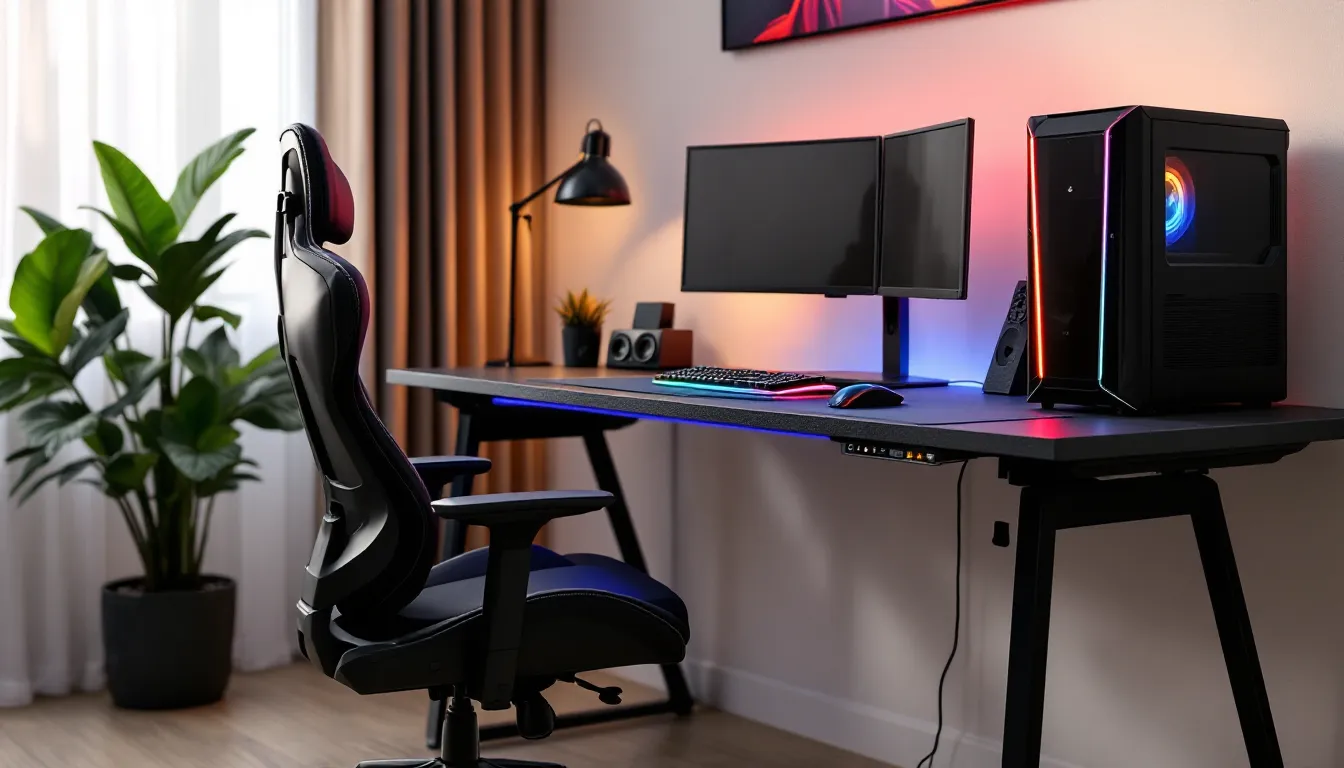
Your gaming setup can make or break your performance. Spend hours grinding ranked matches in a cheap office chair, and you’ll feel it in your back, shoulders, and reaction time. Pair that chair with a wobbly desk that can’t hold your dual monitors steady, and you’re fighting your furniture as much as your opponents.
A well-matched gaming chair and desk combo isn’t just about comfort, it’s about creating an environment where you can focus, perform, and grind without your body giving up before your rank does. Whether you’re pulling all-nighters in a competitive FPS, streaming eight-hour sessions, or just want a setup that doesn’t leave you stiff after a weekend raid, the right combo delivers ergonomic support, stability, and enough space to house your entire rig without cable chaos.
In 2026, the market’s flooded with options ranging from budget-friendly bundles to high-end professional setups with RGB everything and premium materials. This guide breaks down what actually matters, which combos deliver the best value across different use cases, and how to set up your station for peak performance without wasting money on marketing hype.
Key Takeaways
- A matched gaming chair and desk combo reduces strain on your wrists, neck, and back while improving performance by eliminating micro-movements that affect precision and focus.
- Bundled combos cost 15-25% less than buying separately and ensure ergonomic compatibility with proper height ranges and complementary designs engineered to work as a system.
- Essential features include adjustable lumbar support, 4D armrests, height-adjustable desks (28-30 inches standard, or 25-50 inches for standing options), and stable steel frame construction rated for 300+ lbs.
- Desk surface area should be at least 55-60 inches wide to accommodate dual monitors, keyboard, mouse pad, and accessories while maintaining proper 20-30 inch viewing distance.
- Different gaming styles require different priorities: competitive players need rock-solid stability, casual gamers benefit from enhanced recline ranges, and streamers require 60+ inch desks with electric standing options.
- Proper setup positioning requires monitor centers 15-20 degrees below eye level, elbows at 90-100 degrees on keyboard, and feet flat on floor with thighs parallel to ground for long-term comfort and injury prevention.
Why Investing in a Gaming Chair and Desk Combo Matters
Most gamers piece together their setup one component at a time, grabbing whatever chair is on sale, then finding a desk that kind of fits. The problem? Mismatched heights, incompatible dimensions, and zero consideration for how the two pieces work together.
A proper combo ensures the chair and desk are designed with compatible height ranges, so you’re not stuck with armrests that slam into the desk edge or a seat that’s too low to maintain proper wrist angles on your keyboard. Ergonomic compatibility reduces strain on your wrists, neck, and lower back during long sessions, critical if you’re spending 4+ hours daily at your setup.
Beyond health, there’s performance. An unstable desk creates micro-movements that throw off aim in games where pixel-perfect precision matters. A chair that doesn’t support your posture leads to fidgeting, which breaks focus during clutch moments. Competitive players know that consistency in your physical setup translates to consistency in-game.
Financially, bundles often cost 15-25% less than buying separately, and you skip the guesswork of matching specs. You get furniture engineered to work as a system, with complementary aesthetics and often shared cable management solutions that keep your battlestation clean.
Key Features to Look for in Gaming Chair and Desk Combos
Ergonomic Design and Adjustability
Height adjustment range is non-negotiable. Your chair should offer pneumatic height control that accommodates your body type and desk height, typically spanning 17-21 inches from floor to seat. Desks need to sit between 28-30 inches tall for most users, but electric standing desk combos (increasingly common in 2026) offer 25-50 inch ranges.
Lumbar support isn’t just a buzzword, look for adjustable lumbar cushions or built-in support that curves with your spine’s natural S-shape. Armrests should adjust in at least three dimensions (height, width, angle) so they don’t force your shoulders into unnatural positions during intense gameplay.
Recline functionality matters for different gaming contexts. A 90-155 degree recline range with locking positions lets you sit upright for competitive matches, then lean back for casual sessions or watching streams between games.
Build Quality and Material Durability
Steel frame construction on both chair and desk is the baseline for longevity. Chairs rated for 300+ lbs typically use thicker gauge steel that won’t develop wobble after six months of use. Desks should feature reinforced crossbars and corner bracing, particleboard with metal legs won’t cut it if you’re mounting monitor arms or pounding keys during heated moments.
Upholstery choice impacts both comfort and lifespan. PU leather looks clean but cracks within 2-3 years and traps heat. Breathable fabric mesh or premium leatherette blends hold up better and keep you cooler during marathon sessions. Desktop surfaces need scratch-resistant coatings: carbon fiber texture or laminated wood resist mouse pad friction better than bare MDF.
Wheel quality separates budget from premium. Rollerblade-style casters (PU rubber) protect hardwood floors and roll smoothly without the grinding noise of cheap plastic wheels. For desks, leg levelers compensate for uneven floors, crucial for stability.
Space Optimization and Cable Management
Desk surface area determines what fits comfortably. A 55-60 inch width handles dual 27-inch monitors, a full-size keyboard, XL mouse pad, and still leaves room for speakers or a mic arm. Depth matters too, 24 inches minimum, 30 inches ideal for proper monitor distance and keyboard placement.
Integrated cable management includes grommets, under-desk trays, and routing channels that keep power cables, USB hubs, and headset wires out of sight. Some 2026 combos feature wireless charging pads built into the desktop and USB ports embedded in the desk edge, genuinely useful for keeping controllers and peripherals charged.
Under-desk clearance needs to accommodate your chair’s armrests and your knees. Measure the space between the desktop underside and floor (typically 26-28 inches) against your chair’s armrest height at max position. Getting this wrong means constantly banging armrests or sitting too low.
Top Gaming Chair and Desk Combos in 2026
Best Overall: Premium Performance Setup
The Secretlab TITAN Evo 2026 + MAGNUS Pro XL combo dominates for good reason. The TITAN Evo features Secretlab’s NEO Hybrid Leatherette that actually breathes, 4D armrests with millimeter-precise adjustment, and magnetic memory foam cushions that mold to your body over time. Rated for 12-hour daily use without discomfort.
The MAGNUS Pro XL desk pairs a 59-inch powder-coated steel surface with a full-length magnetic cable management tray underneath. The entire desk supports up to 265 lbs, easily handling triple monitor setups with mounted arms. Built-in cable routing keeps everything invisible, and the magnetic ecosystem lets you attach headset hooks, cup holders, or RGB strips without drilling holes.
Price: $1,349 combined | Best for: Serious gamers and professionals who want zero compromises
Best Budget-Friendly Option
The Furmax Gaming Chair + Bestier 55″ Carbon Fiber Desk delivers surprising value at under $350. The Furmax isn’t winning design awards, but it includes adjustable lumbar support, 360-degree swivel, and a recline range up to 135 degrees, features often missing in this price bracket.
The Bestier desk features a carbon fiber textured surface that hides fingerprints and minor scratches. A monitor shelf elevates your screen to proper eye level (saving you from buying a separate arm), and the K-frame legs provide solid stability without a center support bar that gets in the way. Cable management is basic, just a few clips, but functional.
Price: $329 combined | Best for: Students or casual gamers on a tight budget who still want ergonomic basics
Best for Compact Spaces
The AndaSeat Kaiser 3 Compact + Arozzi Arena Leggero combo maximizes functionality in small footprints. The Kaiser 3 Compact is specifically sized for smaller frames and tight spaces while maintaining full adjustability, rare in compact chairs. The integrated lumbar support dial lets you fine-tune support on the fly.
The Arozzi Arena Leggero measures just 44 inches wide but features a clever curved front edge that wraps around you, maximizing usable surface area. The entire desk surface is a mouse pad, useful if you play low-sensitivity FPS games and need room to swipe. Water-resistant coating protects against spills.
Price: $749 combined | Best for: Apartment gamers, small bedrooms, or shared living spaces
Best High-End Professional Setup
For streamers and content creators who need broadcast-quality aesthetics and maximum flexibility, the Herman Miller X Logitech G Embody + Flexispot E7 Pro Plus combination justifies the premium. The Embody gaming chair uses Herman Miller’s PostureFit technology with dynamic back support that adjusts as you move, genuinely therapeutic-grade ergonomics.
The Flexispot E7 Pro offers electric height adjustment with four memory presets, transitioning from sitting to standing in 20 seconds. The anti-collision system prevents damage to mounted gear. At 63 inches wide with a commercial-grade desktop, it handles full production setups: multiple monitors, streaming gear, lighting controllers, and audio interfaces.
Price: $2,749 combined | Best for: Full-time streamers, content creators, and anyone treating gaming as a profession
Best RGB and Aesthetic Design
The Corsair T3 Rush + Corsair Platform:6 Modular Desk system is built for gamers who want their setup to match their RGB rig. The T3 Rush features breathable fabric upholstery in multiple colorways, neck and lumbar support pillows, and a clean design that doesn’t scream “gamer chair” if you use it for work Zoom calls.
The Platform:6 desk is Corsair’s modular answer to battlestation customization. The base desk integrates with Corsair’s iCUE ecosystem for synchronized RGB lighting across your entire setup. Magnetic accessories snap on without tools, monitor mounts, headset stands, cable management rails, even a wireless charging mousepad. Gamers who already run Corsair peripherals and components can control everything through one software suite.
Price: $1,199 combined | Best for: Enthusiasts who want aesthetic cohesion and smart integration with existing RGB ecosystems
How to Choose the Right Combo for Your Gaming Style
Competitive Esports Players
Competitive play demands stability above all else. A desk that wobbles even slightly throws off micro-adjustments in games like Valorant, CS2, or Apex Legends where millisecond precision determines fights. Look for solid steel construction with crossbar reinforcement, wood or composite desks introduce flex under the force of fast mouse movements.
Chair-wise, prioritize firm cushioning over plush comfort. Many pro player settings favor chairs with denser foam that maintains consistent support rather than memory foam that compresses and shifts during intense sessions. Armrests need to be lockable so they don’t drift mid-match.
Desk height should position your forearms parallel to the floor when hands rest on your keyboard, typically 1-2 inches below elbow height. This reduces wrist strain during fast inputs. If you play at low DPI (400-800), ensure at least 36 inches of mouse space for sweeping aim movements.
Casual and Console Gamers
Console players and casual PC gamers have different priorities. If you’re gaming with a controller from a reclined position, enhanced recline range (135-155 degrees) and a footrest add comfort for long single-player campaigns or couch-style sessions at a desk.
Desk size can shrink since you’re not juggling keyboard, mouse, and giant mouse pads. A 48-inch width handles a single ultrawide monitor or TV, console, and some accessories. Focus budget on chair comfort, you’ll spend more time leaning back than hunched forward.
Cable management matters more with consoles due to HDMI runs, controller charging cables, and external drives. Look for combos with rear grommet holes positioned to route cables to consoles sitting on lower shelves or the floor.
Streamers and Content Creators
Content creation setups require space for production gear beyond gaming hardware. A 60-inch or larger desk is necessary for multi-monitor arrays (gaming display + chat/obs monitoring + script/notes), audio interfaces, stream decks, lighting controls, and camera mounts.
Electric standing desks provide variation during 6-8 hour streams, letting you switch positions to maintain energy on camera. Memory presets mean you can save sitting and standing heights for instant adjustment between games and IRL segments.
Chair aesthetics matter when you’re on camera. The Herman Miller Embody or Secretlab TITAN both photograph well without looking juvenile. Avoid chairs with excessive branding or loud colors that clash with your background unless that’s part of your brand identity.
Setting Up Your Gaming Station for Optimal Performance
Proper Monitor Placement and Viewing Angles
Monitor height should position the top edge at or slightly below eye level when sitting upright. This prevents neck strain from looking up (common with monitors placed too high) or hunching forward to see a screen mounted too low. For most setups, this means the center of the screen sits 15-20 degrees below horizontal eye line.
Distance matters for both comfort and performance. Sit 20-30 inches from a 24-27 inch monitor, close enough to see details without moving your head, far enough to keep the entire screen in peripheral vision. Ultrawide displays (32+ inches) need 30-36 inch viewing distances to avoid constant head turning.
Angle the monitor slightly upward (5-10 degrees of tilt back from vertical) to reduce glare from overhead lighting and align the screen perpendicular to your line of sight. Many gaming monitor reviews include optimal viewing distance recommendations based on resolution and panel size, worth checking for your specific display.
For multi-monitor setups, angle side screens 15-20 degrees inward toward your seated position. This creates a natural arc that reduces neck rotation when checking chat or secondary information during gameplay.
Chair Height and Posture Alignment
Start with feet flat on the floor or on a footrest if your desk height is fixed and high. Your thighs should be parallel to the ground or angled slightly downward, this position promotes circulation and reduces pressure on the underside of your legs during long sessions.
Adjust seat height so your elbows form a 90-100 degree angle when hands rest naturally on your keyboard and mouse. Wrists should float in a neutral position, not bent upward or downward. If your armrests are properly adjusted, they should barely touch your forearms, supporting weight without forcing your shoulders upward.
Lumbar support should contact the natural curve of your lower back, roughly at belt line height. You shouldn’t need to lean forward to reach your peripherals, if you do, either your desk is too deep or your chair is too far back. Adjust distance so you can reach your mouse and keyboard with shoulders relaxed and elbows close to your body.
The backrest angle depends on activity. Sit at 90-100 degrees for competitive gaming where you need to lean into the action. Recline to 110-120 degrees for casual play, content consumption, or between matches. Avoid sitting bolt upright (less than 90 degrees) for extended periods, it creates unnecessary spinal compression.
Common Mistakes to Avoid When Buying Gaming Furniture
Prioritizing aesthetics over ergonomics is the fastest way to regret a purchase. Racing-style chairs with aggressive bolstering look cool but often sacrifice adjustability and long-term comfort. If the chair doesn’t fit your body dimensions or the desk can’t accommodate your gear, RGB lighting and carbon fiber accents won’t fix the problem.
Ignoring weight ratings leads to premature failure. A 250 lb weight rating doesn’t mean the chair supports exactly 250 lbs safely, it means that’s the threshold before accelerated wear. If you’re anywhere near the listed capacity, size up. Similarly, desks rated for 150 lbs struggle with heavy monitor arms and large PC towers: aim for 200+ lb capacity if you’re running substantial hardware.
Skipping measurements before purchase causes massive headaches. Measure your room dimensions, ceiling height (if you want a high-back chair), and existing gear. A 65-inch desk won’t fit in a 60-inch space no matter how good the deal is. Verify that your chair’s max height works with your desk’s underside clearance, there’s no fix if your armrests physically can’t slide under the desktop.
Buying based solely on reviews without checking return policies is risky with furniture. Ergonomic fit is personal, what works for a 6’2″ reviewer may not suit a 5’6″ buyer. Ensure the retailer offers at least a 30-day return window. For premium chairs, look for manufacturers offering trial periods: Herman Miller and Secretlab both provide extended testing periods.
Overlooking assembly complexity can turn a great purchase into a frustrating day. Some combos require 2-3 hours of assembly with precise alignment. Check if tools are included or if you need to supply your own Allen wrenches and screwdrivers. Many setup tutorials walk through common assembly pitfalls before you commit.
Forgetting about upgradability and compatibility matters long-term. Can you swap out chair wheels for different floor types? Does the desk support standard monitor arm clamps? Cheap combos often use proprietary dimensions that limit future modifications when you want to upgrade components without replacing everything.
Maintenance and Care Tips for Long-Lasting Use
Clean upholstery monthly to prevent buildup that degrades materials. For fabric chairs, vacuum with an upholstery attachment to remove dust and debris from mesh weave. PU leather needs wiping with a damp microfiber cloth followed by a dry pass, avoid harsh chemicals that accelerate cracking. Real leather requires conditioning every 6-12 months to maintain suppleness.
Tighten bolts and screws quarterly. Normal use gradually loosens connections, especially on chairs with recline mechanisms and swivel bases. A wobbly chair isn’t just annoying, it accelerates wear on joints and can lead to catastrophic failure. Keep the Allen key that came with your chair accessible and spend five minutes checking all connection points every few months.
Lubricate moving parts annually. Gas lift cylinders, recline mechanisms, and wheel axles benefit from silicone-based lubricant spray (never WD-40 on upholstery or plastic). This prevents squeaking and ensures smooth operation. Desk mechanisms on standing desks need lubrication on the lifting columns if they start sticking or making grinding noises.
Protect desk surfaces from heat damage and scratches. Use a desk mat or large mouse pad to protect the area where your gear sits. Don’t place hot drinks directly on surfaces, use coasters. For desks with wood veneer or laminate finishes, avoid dragging heavy objects across the surface: lift and place instead.
Inspect wheels and replace when worn. Caster wheels accumulate hair, dust, and debris that restrict rolling and scratch floors. Pull them off every 6 months, remove the accumulated gunk, and check for flat spots or cracks. Replacement wheel sets cost $15-30 and dramatically improve rolling smoothness.
Manage cables to prevent stress and damage. Zip-tie cable bundles loosely so they have room to flex when adjusting height on standing desks. Leave service loops at connection points so you’re not pulling cables taut when moving your chair. Replace frayed cables immediately, they’re fire hazards and can damage expensive peripherals.
Check pneumatic cylinders for leaks. If your chair gradually sinks during use, the gas cylinder is failing. These are replaceable for $30-50 and take 10 minutes to swap out with basic tools. Catch it early before complete failure leaves you stuck at minimum height.
Conclusion
The right gaming chair and desk combo transforms your setup from functional to optimized. It’s the difference between ending a session energized or stiff, between maintaining consistent aim or fighting furniture-induced distractions. Whether you’re investing in a premium Herman Miller setup for professional streaming or grabbing a budget-friendly bundle for casual weekend gaming, matching your furniture to your actual use case delivers returns in comfort, performance, and longevity.
Don’t settle for mismatched components that force compromises in posture, space, or stability. The combos highlighted here represent proven solutions across different budgets and gaming styles in 2026, backed by real-world testing and community feedback. Measure your space, identify your priorities, and choose a setup that supports the hours you’re actually putting in, your back, wrists, and KDA will thank you.