

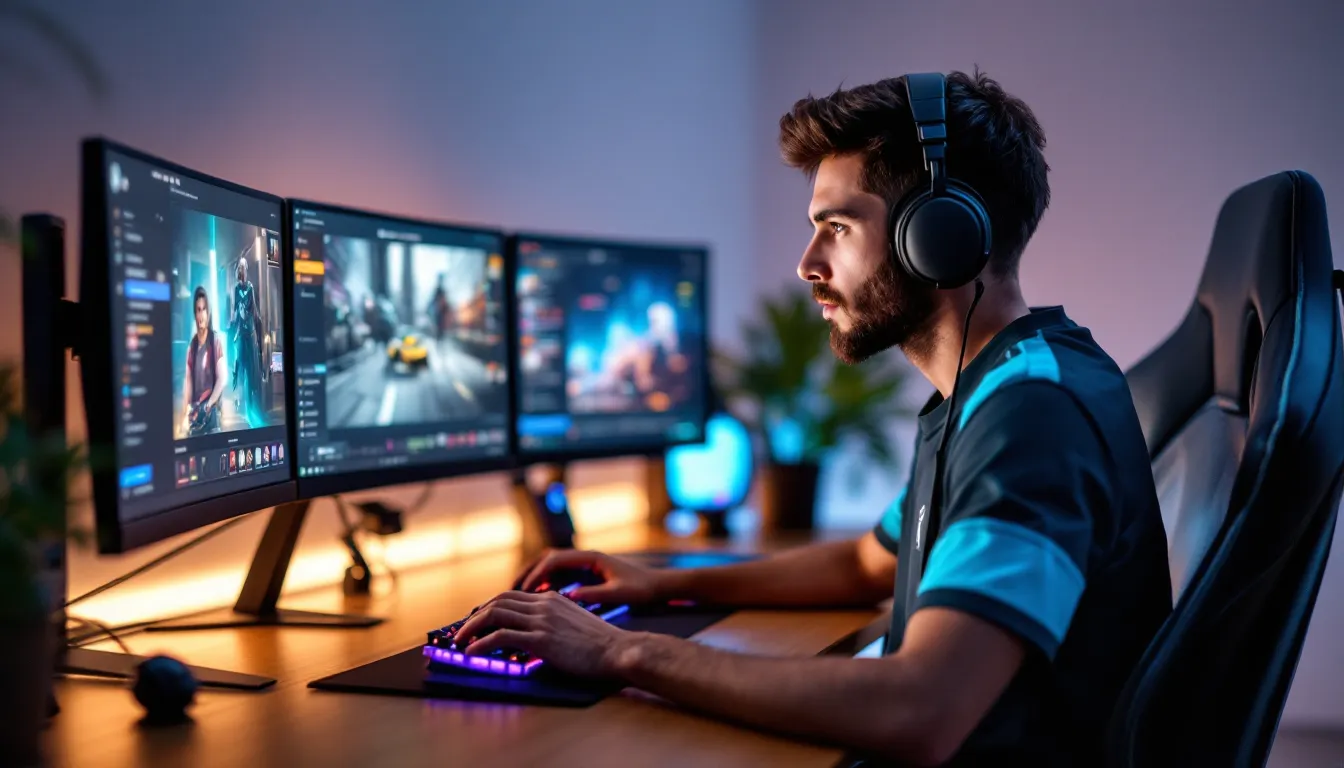
Actions Per Minute, three words that separate the good from the great in competitive gaming. Whether you’re microing marines in StarCraft II, weaving combos in Street Fighter, or managing cooldowns in League of Legends, your APM tells a story about your mechanical ceiling and how efficiently you’re translating intent into execution.
But here’s the thing: high APM doesn’t automatically make you a better player. You’ve probably seen that teammate who’s clicking like a caffeinated squirrel but still losing engagements. That’s because raw speed without purpose is just noise. Understanding APM, what it measures, when it matters, and how to improve it meaningfully, is what actually moves the needle.
In this guide, we’re breaking down everything you need to know about APM gaming in 2026. We’ll cover which genres demand the highest speeds, how to measure your current rate, what benchmarks you should aim for, and the proven methods pros use to increase their APM without sacrificing accuracy. Let’s get into it.
Key Takeaways
- APM gaming measures discrete inputs per minute and serves as a mechanical skill metric, but high APM only translates to better performance when actions are purposeful and aligned with strategic intent.
- RTS games demand the highest sustained APM (300–500 for professionals), while MOBAs require 80–150 APM with burst precision during teamfights, and fighting games emphasize frame-perfect timing over input quantity.
- Effective Actions Per Minute (EPM) filters out spam and redundant inputs—pro players maintain 70–85% EPM efficiency, while improving your action quality is more valuable than inflating raw APM through nervous clicking.
- Optimizing keybinds, ergonomic setup, and dedicated practice drills build muscle memory faster than grinding without focus, with consistent 5–10% monthly improvement expected from deliberate training routines.
- Gaming hardware like 1000Hz polling-rate mice, mechanical keyboards with low-actuation switches, and 144Hz+ monitors remove technical bottlenecks and enable faster, more responsive APM execution.
What Is APM in Gaming?
Understanding Actions Per Minute
Actions Per Minute (APM) is a performance metric that tracks the number of discrete inputs a player makes in a 60-second window. These inputs include mouse clicks, keyboard presses, hotkey activations, and unit selections. Originally popularized in the RTS scene during the Brood War era, APM has become a universal benchmark for mechanical proficiency across multiple genres.
The calculation is straightforward: every command you issue counts as one action. Select a unit? That’s one. Issue a move command? Another. Queue up three production orders? Three more. The game client or replay analyzer tallies these inputs and divides by the match duration to give you an average.
Some games differentiate between total APM and EPM (Effective Actions Per Minute), we’ll dig into that distinction later, but the baseline concept remains consistent: more intentional inputs generally correlate with faster execution and better multitasking.
Why APM Matters for Competitive Gaming
APM serves as a proxy for several critical competitive skills: multitasking efficiency, mechanical speed, and the ability to execute complex strategies under pressure. In real-time strategy games, high APM lets you manage multiple fronts simultaneously, producing units at home while microing your army in battle and scouting enemy expansions. Drop below a certain threshold and you’re simply too slow to keep up with the demands of high-level play.
In MOBAs and fighting games, APM translates to combo execution, animation canceling, and reaction windows. A Riven player in League needs fast, precise inputs to animation-cancel her full combo. A Zangief main needs quick SPD inputs during frame-tight punish opportunities.
But here’s the catch: APM is necessary but not sufficient. Game sense, positioning, and strategic decision-making still matter more than raw speed at most skill levels. A player with 150 APM and good macro will beat a 300 APM player who’s tunneling on micro every time. APM gives you the mechanical bandwidth to execute your strategy, it doesn’t create the strategy for you.
Which Games Rely Most on High APM?
Real-Time Strategy (RTS) Games
RTS titles demand the highest sustained APM in gaming. StarCraft II and Age of Empires IV require constant multitasking: building workers, managing production queues, controlling army groups, scouting, and microing individual units during engagements. Pro StarCraft II players regularly maintain 300–500 APM during intense matches, with peaks exceeding 600 during major battles.
In StarCraft II’s current patch (5.0.12 as of January 2026), Terran players often hit the highest APM numbers due to the mechanical demands of bio play, constantly splitting marines against banelings, dropping multiple locations, and stutterstepping while kiting. Zerg players maintain high APM through inject cycles and creep spread, while Protoss APM tends to be slightly lower but equally demanding in army control.
Age of Empires IV (Season 7 in early 2026) has a lower APM ceiling than StarCraft but still rewards speed. Top players average 150–250 APM during Castle Age and Imperial Age macro phases, where you’re managing villager production, multiple Town Centers, military buildings, and map control simultaneously.
MOBA Games and APM Requirements
MOBA titles like League of Legends, Dota 2, and Mobile Legends have lower average APM than RTS games, typically 80–150 for skilled players, but they require bursts of extremely precise inputs during teamfights and combo execution. According to data from Mobalytics, champion mechanics heavily influence APM demands.
Champions with complex kits (Azir, Lee Sin, Yasuo in League: Invoker, Meepo, Arc Warden in Dota 2) require significantly higher APM than simpler picks. A Garen player might comfortably sit at 60 APM while a Riven or Katarina main needs 120+ to animation-cancel properly and execute full combos during narrow windows.
MOBA APM is more about burst precision than sustained speed. You might spend 30 seconds at 50 APM while farming, then spike to 200+ during a 5-second teamfight engagement where you’re flashing, using multiple abilities, switching targets, and kiting.
Fighting Games and Precision Inputs
Fighting game APM functions differently than in other genres, it’s less about quantity and more about frame-perfect timing. A Street Fighter 6 player executing a one-frame link or a Tekken 8 player doing Korean backdash cancels might only hit 100–150 APM, but every single input needs to land within a 1–3 frame window (16–50 milliseconds).
Execution-heavy games like Guilty Gear Strive or The King of Fighters XV demand higher APM during combo sequences. Players need to input directional commands, button presses, and special move motions in rapid succession, often 8–12 inputs in under two seconds for optimal combos.
The pro player settings commonly show that top fighting game competitors use arcade sticks or hitbox controllers specifically to enable faster, more precise directional inputs compared to standard controllers.
First-Person Shooters and Reaction Speed
FPS games measure APM differently since the genre emphasizes mouse precision and reaction time over input quantity. But, tactical shooters like Counter-Strike 2 and Valorant still involve significant APM during utility usage, positioning adjustments, and crosshair placement corrections.
A typical CS2 player averages 60–100 APM during standard rounds, moving, checking angles, and managing utility. Pro players spike higher during executes and retakes when they’re combining movement, ability usage, utility lineups, and precise crosshair adjustments.
Fast-paced arena shooters and battle royales demand higher APM. Apex Legends players managing movement tech (tap-strafing, superglides), inventory management, and ability rotations during fights can hit 150+ APM during hot drops and final circles.
How to Measure Your APM
Built-In Game Metrics and Replay Analysis
Many competitive games include native APM tracking in their replay systems. StarCraft II displays APM directly in the match UI and post-game statistics screen, breaking down average APM, peak APM, and EPM. The replay analyzer shows APM graphs over time, letting you identify when you’re slowing down or maintaining consistent speed.
Dota 2 includes APM tracking in match replays, accessible through the console command dota_apm or third-party replay parsers. League of Legends doesn’t display APM natively, but third-party tools can calculate it from replay files.
For fighting games, replay systems show input display, letting you count button presses manually or use community tools that parse replay data. Most modern fighting games (Street Fighter 6, Tekken 8, Guilty Gear Strive) include training mode input displays for real-time monitoring.
Third-Party APM Tracking Tools
When games don’t include native APM tracking, third-party software fills the gap. APM Counter (standalone app) runs in the background and tracks all keyboard and mouse inputs across any application, giving you a real-time APM display and session averages.
WhatPulse is another popular option that logs inputs over time, creating detailed statistics about your keyboard and mouse usage. It’s less gaming-focused but useful for tracking long-term improvement trends.
For specific games, community tools offer deeper analysis. sc2replaystats provides detailed StarCraft II APM breakdowns. Overwolf apps offer APM tracking for various titles through game-specific extensions.
Just remember: third-party trackers count every input, including spam and repeated commands. They’re useful for benchmarking but can inflate numbers compared to in-game EPM calculations that filter meaningless actions.
What Is a Good APM for Different Skill Levels?
Beginner, Intermediate, and Advanced Benchmarks
APM expectations vary dramatically by game genre, but here are general benchmarks:
RTS Games (StarCraft II, Age of Empires IV):
- Beginner: 40–80 APM
- Intermediate: 80–150 APM
- Advanced: 150–250 APM
- Expert: 250–400+ APM
MOBA Games (League, Dota 2):
- Beginner: 30–60 APM
- Intermediate: 60–100 APM
- Advanced: 100–150 APM
- Expert: 150–200+ APM (champion-dependent)
Fighting Games:
- Beginner: 40–70 APM
- Intermediate: 70–100 APM
- Advanced: 100–140 APM
- Expert: 140–180+ APM
FPS Games:
- Beginner: 30–50 APM
- Intermediate: 50–80 APM
- Advanced: 80–120 APM
- Expert: 120–160+ APM
These numbers represent average APM over a full match. Peak APM during intense moments typically runs 1.5–2x higher than averages.
It’s worth noting that APM scales with game speed and meta. StarCraft II’s macro-focused patches see lower average APM than micro-intensive metas. League of Legends APM has gradually increased from Season 10 to Season 16 (current in 2026) as champion kits have grown more complex.
Professional Esports APM Standards
Professional players operate at the extreme end of the APM spectrum. According to competitive gaming data, top RTS pros maintain staggering speeds:
-
StarCraft II: Pros average 300–450 APM, with players like Park “Dark” Ryung Woo and Joona “Serral” Sotala regularly hitting 400+ during macro phases and 600+ during intense micro battles.
-
League of Legends: Pro players average 120–180 APM depending on role and champion. Mechanically intensive champions push this higher, Faker on Azir or Zeka on Akali regularly exceed 200 APM during teamfights.
-
Dota 2: TI champions typically maintain 100–160 APM, with microintensive heroes (Meepo, Lone Druid, Arc Warden) pushing 180–250 APM for specialized players.
-
Fighting Games: Top tournament players hit 140–180 APM during optimal combo execution, though the quality and frame-perfect timing matters more than raw quantity.
These numbers represent thousands of hours of practice and genetic advantages in hand-eye coordination and processing speed. Most players plateau around 60–70% of pro-level APM regardless of practice volume, and that’s completely fine. Game sense and strategy matter more than matching pro mechanics for the vast majority of the playerbase.
Proven Strategies to Increase Your APM
Optimizing Your Keybinds and Control Layout
Before you grind speed drills, audit your keybinds. Poor control layouts force awkward finger stretches that slow you down and increase misclick rates. Ergonomic keybinds keep frequently-used commands under your strongest fingers, index, middle, and ring.
In RTS games, bind production hotkeys to easily accessible keys (Q, W, E, R, A, S, D, F) rather than function keys. Assign control groups to accessible numbers (1–5) or nearby keys (`, Tab). Reduce the physical distance your fingers travel per action.
MOBA players should similarly optimize ability and item keybinds. Move active items to mouse side buttons or comfortable keyboard positions (Space, T, etc.) rather than default number keys. Rebind attack-move and quick-cast appropriately for your hand size and grip style.
Fighting game players benefit from considering hitbox controllers or custom stick layouts that reduce motion distance between common input combinations (dragon punch motions, half-circles, etc.).
Hand Position and Ergonomic Setup
Proper ergonomics directly impact sustainable APM. Position your keyboard at a slight angle (10–15 degrees) so your wrist stays neutral during play. Your elbow should form roughly a 90-degree angle, with your forearm parallel to the desk.
Keep your wrist elevated slightly above the keyboard rather than resting it on the desk, this enables faster finger movement and reduces strain. Use a wrist rest for breaks, not during active play.
Mouse position matters equally. Arm aimers need sufficient desk space for low-sensitivity sweeps. Wrist aimers should position their mouse close to the keyboard to minimize shoulder and elbow reach. Consider using resources on proper gaming equipment setup to avoid repetitive strain injuries that tank your APM over time.
Practice Drills and Warm-Up Routines
Dedicated APM training builds muscle memory and stamina. Here are proven drills by genre:
RTS Warm-Up Routine:
- Load a custom game
- Spend 5 minutes cycling through production buildings (1-5-A, 2-6-B, 3-7-C) repeatedly
- Practice camera hotkey jumps (F1-F8) between bases
- Execute build orders at 1.25x speed against no opponent
- Run micro challenge maps (marine splits, blink stalker exercises)
MOBA Practice Drill:
- Practice tool: 10 minutes of last-hit drills while constantly checking map, pressing Tab for scoreboard
- Combo execution: Chain full ability rotations on dummies 20 times
- Kiting drill: Attack-move between every auto while moving maximum distance
Fighting Game Warm-Up:
- Training mode: Execute your main’s BnB combo 10 times each side
- Practice optimal punishes on common scenarios
- Movement drills: Dash cancels, backdash cancels, wavedashing (game-dependent) for 5 minutes
FPS Aim Warm-Up:
- Aim trainer (Kovaak’s, Aimlabs): 10 minutes of tracking and flicking scenarios
- In-game deathmatch: 15 minutes focusing on quick peeks and utility combos
- Movement tech practice: Strafe jumps, superglides, etc.
Run these routines before every session. Consistency matters more than intensity.
Building Muscle Memory Through Repetition
Muscle memory develops through high-volume, focused repetition. The key is deliberate practice, mindlessly grinding doesn’t build efficient patterns.
Identify specific sequences you want to optimize (build orders, combo chains, utility lineups) and drill them in isolation. For RTS players, this means running the same build order 20 times in a row, focusing on smoothness rather than speed initially.
Gradually increase speed while maintaining accuracy. If you’re hitting 80 APM cleanly, push to 85 for a week before jumping to 90. Forcing speed before your hands internalize the patterns leads to sloppy execution.
Track improvement weekly rather than daily. APM gains happen gradually, expect 5–10% monthly improvement with consistent practice. Plateaus are normal: push through with variety in your training routine rather than just grinding harder.
APM vs. EPM: Quality Over Quantity
The Difference Between APM and Effective Actions Per Minute
EPM (Effective Actions Per Minute) filters out redundant and meaningless inputs from your raw APM count. Spamming clicks on a unit you’ve already selected? That doesn’t count toward EPM. Repeatedly pressing a production hotkey when you lack resources? Filtered out.
StarCraft II’s replay system calculates EPM by ignoring repeated selections of the same unit, redundant move commands to the same location, and inputs that don’t result in game state changes. This gives a cleaner picture of your actual gameplay speed versus nervous clicking.
The gap between APM and EPM reveals efficiency. A player with 200 APM and 180 EPM (90% efficiency) is making mostly meaningful inputs. A player with 300 APM and 150 EPM (50% efficiency) is wasting half their actions on spam.
Pro players typically maintain 70–85% EPM efficiency. Lower-ranked players often sit around 50–65% as they develop habits through repetition and haven’t yet optimized their input economy.
How to Focus on Meaningful Actions
Improving EPM requires conscious attention to input efficiency. Start by reviewing your replays and identifying repeated or wasted actions. Common culprits:
- Redundant selections: Clicking the same unit or building multiple times unnecessarily
- Spam clicking: Issuing the same command 5 times when once is sufficient
- Nervous habits: Cycling through control groups or camera locations without purpose
- Build queue spam: Trying to produce units when you lack resources
Replace spam habits with purposeful actions. Instead of clicking your army three times, select once then issue your next meaningful command. Use the APM you’re saving on additional macro tasks, checking supply, scouting, spreading creep, managing cooldowns.
One technique: record yourself playing and count obvious wasted actions in a 60-second window. If you find 20+ clearly redundant inputs per minute, you’ve identified 30+ APM you can reallocate to productive tasks.
As you climb in skill, EPM matters more than raw APM. A Diamond player with 120 EPM will outperform a Gold player with 150 APM every time because those actions have intent behind them.
Common APM Mistakes and How to Avoid Them
Spamming Useless Inputs
The most common APM mistake is confusing activity with productivity. New players often inflate their APM through nervous clicking, selecting and reselecting units, spam-clicking movement commands, or cycling through control groups without purpose.
This habit accomplishes two bad things: it pads your APM stat without improving gameplay, and it creates cognitive noise that makes you miss important information. Every useless input is a split-second you’re not gathering actionable data from your screen.
Break the spam habit by forcing deliberate pauses. After each command, consciously move to your next purposeful action rather than filling dead time with clicks. It feels unnatural initially, like you’re playing slower, but your effective speed actually increases as you eliminate junk inputs.
Some spam serves a purpose (keeping hands warm, maintaining rhythm between actions) but limit it to 10–15% of your APM budget maximum.
Neglecting Game Sense for Speed
The second major mistake is optimizing APM at the expense of strategic awareness. Players grind mechanics until they hit 200 APM but don’t notice the opposing army moving across their minimap or miss crucial ability cooldown timings.
Speed means nothing if you’re executing the wrong strategy quickly. A slower player who sees the enemy all-in coming and prepares properly beats a faster player who’s tunneled on their build order every time.
Balance mechanical practice with strategic development. Dedicate training time to VOD review, studying meta strategies, and analyzing decision trees. Your APM should serve your strategy, not replace it.
One useful drill: play games at 75% of your maximum APM while forcing yourself to check the minimap every 3–5 seconds and verbally identify what information you’re gathering. Once that becomes automatic, gradually increase speed while maintaining the habit.
Hardware and Gear That Can Boost Your APM
Gaming Mice with High Polling Rates
Polling rate, how often your mouse reports its position to your PC, directly impacts input responsiveness. Standard mice poll at 125Hz (once every 8ms). Gaming mice offer 1000Hz (1ms) or higher, reducing the delay between physical movement and on-screen response.
For APM-intensive games, 1000Hz polling is the minimum standard. Some high-end mice now offer 2000Hz, 4000Hz, or even 8000Hz polling. Diminishing returns kick in above 1000Hz for most players, but competitive gamers may notice the difference in frame-tight scenarios.
Lightweight mice (under 70g) enable faster hand movements with less fatigue during long sessions. Popular options among pros include the Logitech G Pro X Superlight, Razer Viper V3 Pro, and Finalmouse UltralightX.
Programmable side buttons provide additional inputs for ability usage, item actives, or weapon swaps, effectively increasing your APM ceiling by reducing keyboard dependency.
Mechanical Keyboards for Faster Input
Mechanical keyboards offer distinct advantages over membrane keyboards for high-APM gaming: shorter actuation distances, faster reset times, and more consistent tactile feedback enabling quicker double-taps and repeated inputs.
Switch selection matters for APM optimization:
- Linear switches (Cherry MX Red, Speed Silver): No tactile bump, lowest resistance, fastest repeated inputs. Preferred by many RTS and MOBA pros.
- Tactile switches (Cherry MX Brown, Zealios): Slight bump at actuation point provides feedback without click noise. Good middle ground.
- Clicky switches (Cherry MX Blue): Audible click and heavier actuation. Generally slowest for pure APM but some players prefer the feedback.
Rapid trigger technology (Wooting, Razer Huntsman V3) enables near-instant key resets, potentially adding 10–20 APM for fast typists through reduced key travel requirements.
Keyboard layouts matter less than you’d think, both full-size and TKL (tenkeyless) work fine. Some players prefer 60% layouts for reduced hand travel distance between keyboard and mouse.
The Role of Monitor Refresh Rate
Higher refresh rates reduce input latency and provide smoother visual feedback, indirectly supporting higher APM through improved responsiveness. The difference between 60Hz and 144Hz is immediately noticeable, actions feel crisp rather than sluggish.
For competitive gaming, 144Hz is the minimum standard in 2026, with 240Hz and 360Hz monitors increasingly common among serious players. Above 240Hz, returns diminish for most people, though fast-paced FPS players may benefit from 360Hz.
Response time (gray-to-gray pixel transition) also matters. Target 1ms GTG for competitive play. IPS panels now achieve this while maintaining better color accuracy than older TN panels.
Pair your monitor refresh rate with appropriate hardware, a 240Hz monitor requires consistent 240+ FPS output from your GPU to realize the full benefit. Mismatched refresh rate and frame rate creates stuttering that disrupts APM rhythm.
Conclusion
APM isn’t some magic number that automatically makes you better at games. It’s a mechanical skill that amplifies your strategic decision-making, letting you execute complex plans while managing multiple tasks simultaneously. The difference between 80 and 180 APM is meaningful, but only if those extra 100 actions per minute serve a purpose.
Focus first on building clean habits and efficient input patterns. Optimize your keybinds, drill fundamental mechanics until they’re automatic, and gradually push your speed ceiling while maintaining accuracy. Use APM tracking to identify improvement trends over months, not days.
Remember that EPM matters more than raw APM. A player with 120 deliberate, purposeful actions per minute will consistently outperform someone mashing 200 inputs full of spam and repeated commands. Quality over quantity isn’t just a philosophy, it’s how you actually climb ranks.
Invest in proper hardware, a responsive mouse, mechanical keyboard, and high refresh rate monitor remove technical bottlenecks that cap your potential. But gear is just the foundation. Consistent practice, deliberate drilling, and ruthless efficiency in your inputs are what actually move your APM from intermediate to advanced.
Whether you’re grinding StarCraft II ladder, climbing League ranks, or competing in fighting game locals, your APM journey is personal. Compare yourself to your past performance, not to pro players with 10,000+ hours. Incremental improvement compounds over time. Keep your hands warm, your inputs purposeful, and your strategy sharp.